Get Your Bot Online: A Step-by-Step Guide to Website Chatbot Integration

Why Website Chatbot Integration is Essential for Modern Business Success
Chatbot integration for websites embeds AI-powered conversation tools into your web pages, changing how you connect with visitors. These intelligent chat widgets handle customer inquiries, generate leads, and provide 24/7 support without human intervention.
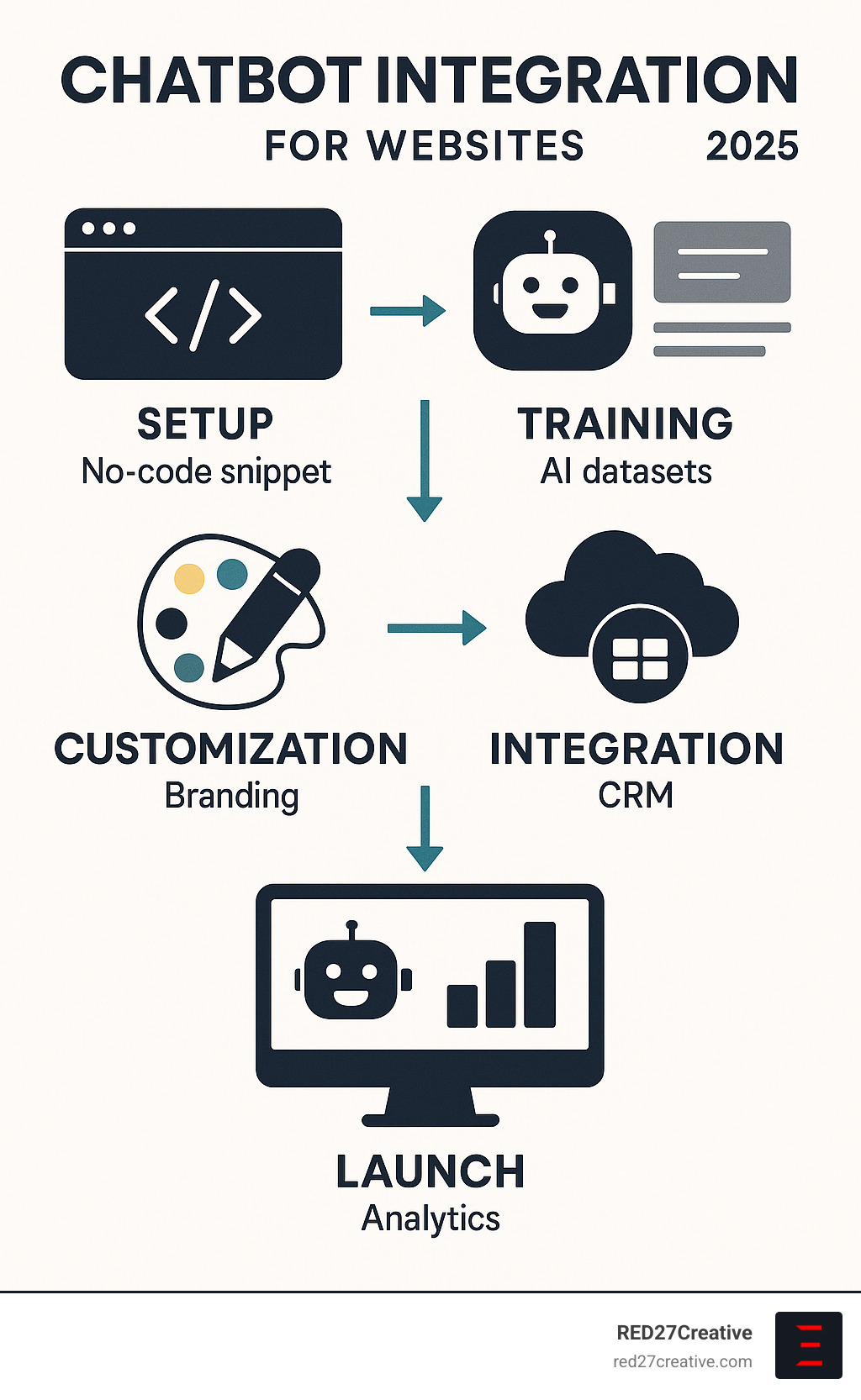
Quick Implementation Overview:
- No-Code Setup: Copy and paste a simple code snippet.
- AI Training: Upload business content to train the chatbot.
- Customization: Match colors, fonts, and tone to your brand.
- Integration: Connect to CRM, email, and other business tools.
- Launch: Deploy and monitor performance via analytics.
Website chatbots are remarkably effective. Research shows AI chatbots can resolve 70% of customer questions instantly, dramatically reducing support workloads and improving visitor engagement, lead generation, and customer satisfaction.
Modern AI chatbots use natural language processing to understand context and provide personalized, human-like conversations. They can proactively engage visitors, qualify leads, schedule meetings, and seamlessly hand over complex queries to human agents when needed.
I’m Kiel Tredrea, and through my work at RED27Creative, I’ve helped dozens of B2B companies implement chatbot integration for websites as part of digital marketing strategies that drive measurable growth. Properly integrated chatbots can transform websites from passive brochures into active lead generation engines.
Chatbot integration for websites definitions:
The Power of Instant Connection
Without a chatbot, visitors who can’t find immediate answers may leave. Chatbot integration for websites provides an immediate, always-on resource that fundamentally improves customer service by automating repetitive tasks like answering FAQs and routing inquiries. This frees up your human team to focus on complex, high-value interactions.
Beyond support, chatbots are powerful tools for lead generation and sales. They proactively engage visitors, qualify leads with targeted questions, and book meetings directly in the chat. By automating these initial interactions, chatbots ensure no sales opportunity is missed and increase website conversions.
How AI-Powered Chatbots Drive Engagement
Modern AI-powered chatbots use Natural Language Processing (NLP) and machine learning to provide human-like interactions that feel personal and intuitive. They analyze user input to offer personalized recommendations and can initiate proactive conversations based on visitor behavior, making them a potent marketing force.
Because AI chatbots learn from every interaction, they get smarter over time. By analyzing conversations, they refine their responses and improve accuracy, consistently delivering value and enhancing the user experience on your website.
The Core Steps of Chatbot Integration for Websites

Getting started with chatbot integration for websites is simpler than you might expect. Today’s no-code solutions, API options, and platform-specific plugins allow anyone to add a powerful AI assistant to their website in just a few steps, regardless of technical expertise.
Step 1: Define Your Goals and Select an Integration Method
First, clarify what your chatbot should accomplish: automate support, improve lead qualification, or boost sales. Your objectives will guide your choice of integration method.
The most popular approach is the Chat Widget (Embed). This no-code solution involves adding a small code snippet to your website’s HTML and works well with platforms like WordPress and Shopify.
For deeper customization, API Integration offers maximum flexibility by letting your chatbot communicate with backend systems, though this usually requires developer expertise. Platform-specific plugins for WordPress or Shopify can make integration as simple as a few clicks.
Step 2: Technical Steps for Smooth Chatbot Integration
The integration process is surprisingly straightforward. First, choose a chatbot platform that aligns with your goals. Many offer free tiers to get started.
Next, train your AI model by uploading your existing content, such as your website URL, PDFs, or help articles. The chatbot will process this information to provide accurate, contextual responses.
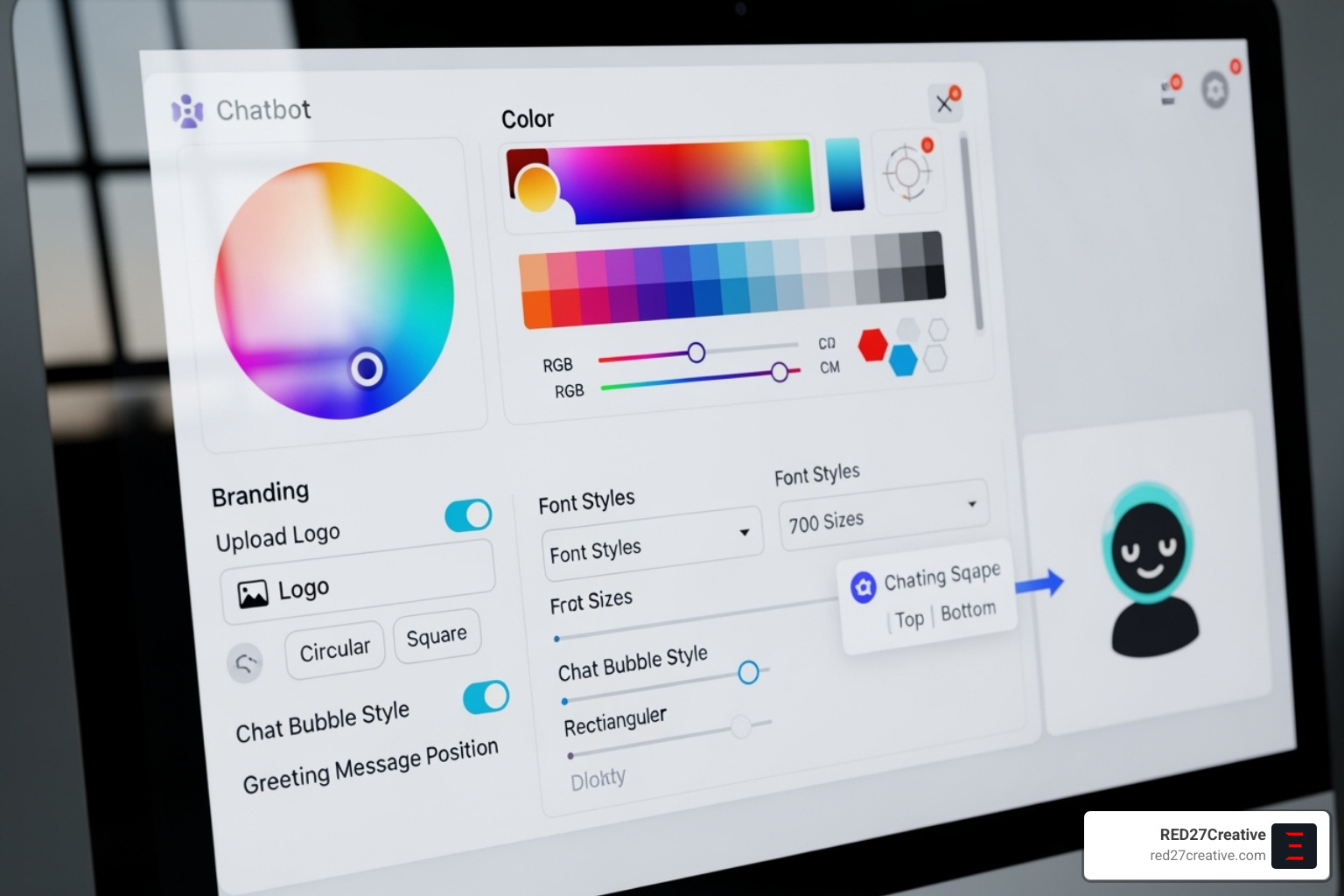
Then, customize your chat widget to match your website’s branding, including colors, fonts, and position.
Your platform will generate a unique code snippet (usually JavaScript). Paste this code into your website’s HTML, typically in the head or body section. Plugins for platforms like WordPress and Shopify often handle this automatically.
Finally, test across different devices to ensure a smooth experience for every visitor.
Step 3: Connecting Your Chatbot to Business Tools
Connecting your chatbot to your business systems transforms it into a powerful automation tool. This allows you to create workflows that save time and capture every opportunity.
- CRM Integration: Automatically send lead information and new contacts to your CRM for immediate sales follow-up.
- Helpdesk Software Integration: Handle common questions, collect customer info, and create support tickets automatically, with a seamless transfer to human agents when needed.
- Email Marketing Platforms: Add new subscribers collected during chats directly to your email lists (e.g., Mailchimp).
- Spreadsheets and Databases: Automatically log customer feedback, inquiries, and contact details for analysis.
- Zapier integration: A game-changer that connects your chatbot to thousands of apps, enabling actions like Slack notifications for new leads or automatic calendar bookings.
These integrations turn your website into an active lead generation and customer service powerhouse.
Choosing and Customizing the Perfect Chatbot for Your Website
Finding the right chatbot requires matching its skills and personality to your brand and business needs. Chatbot integration for websites offers incredible flexibility, from simple rule-based systems for set paths to advanced AI that understands context and learns from conversations.
Key Features to Look For in a Chatbot Platform
When evaluating platforms, consider these essential features:
- Visual Builder: An intuitive, drag-and-drop interface for creating conversation flows.
- Pre-built Templates: Customizable templates for lead collection, FAQs, or appointment booking.
- Multilingual Support: The ability to communicate in multiple languages to serve a global audience.
- Live Agent Handover: A critical feature to seamlessly transfer complex chats to a human agent with full context.
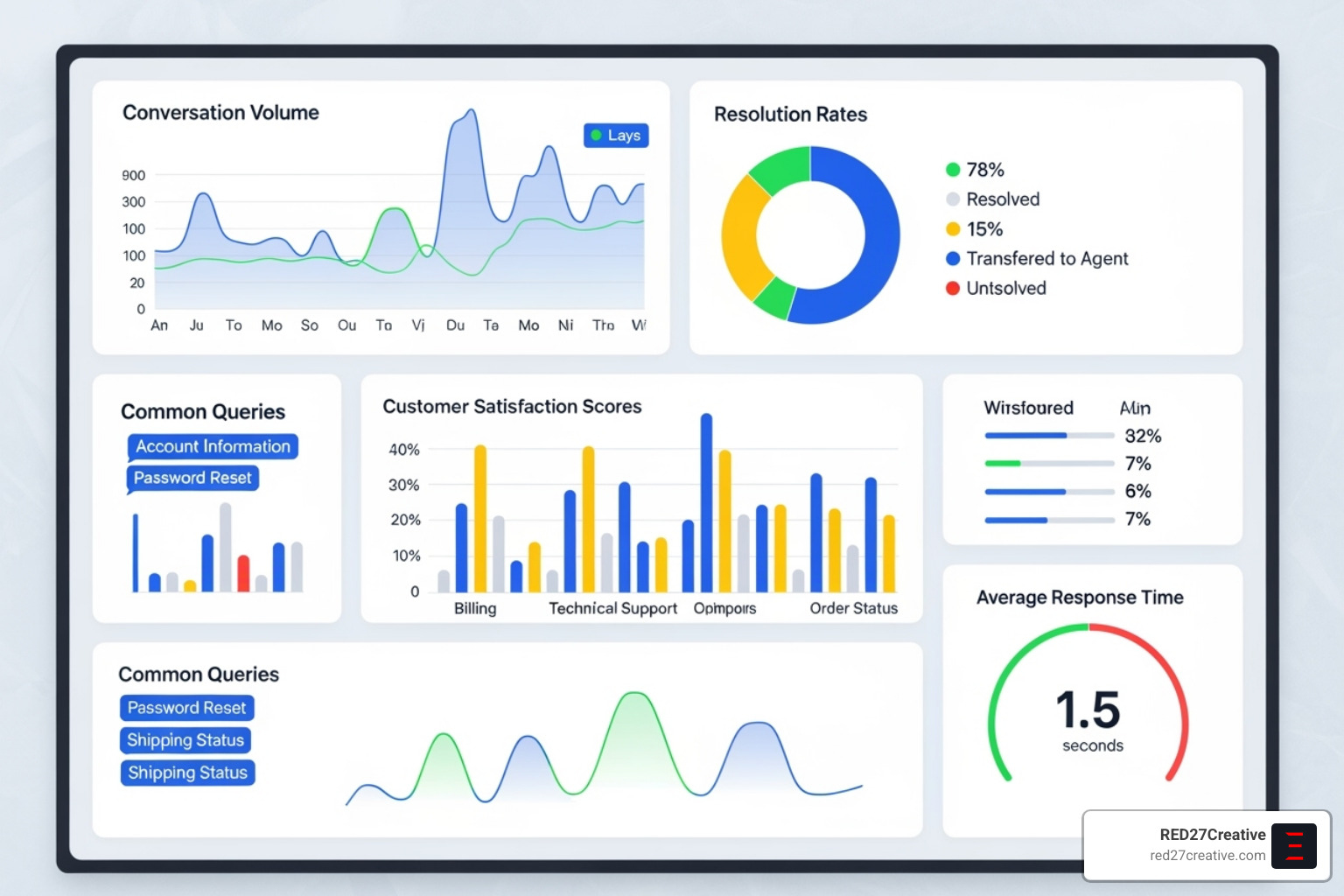
- Analytics Dashboard: Tools to track metrics like conversation volume, resolution rates, and customer satisfaction.
- Security and Compliance: Adherence to standards like GDPR and SOC 2 with robust data encryption.
Customizing Your Bot to Match Your Brand
Your chatbot is often a customer’s first interaction with your brand, so it must make the right impression. Create a consistent, branded experience:
- Match your website colors and fonts to make the chatbot feel like a natural part of your site.
- Set your bot’s personality and tone (e.g., “Sales Assistant” or “Support Specialist”) to feel helpful, not robotic.
- Create custom greetings to engage visitors at the right moment, like different messages for new versus returning users.
- Use white-labeling options to remove third-party branding.
- Maintain a consistent user experience by aligning the chatbot’s interactions with your brand voice.
Understanding the Costs of Chatbot Integration
The cost of chatbot integration for websites varies, but powerful options are more accessible than ever.
- Free Plans: An excellent starting point for small businesses to test basic features.
- Subscription Models: The most common structure, with plans scaling based on features and volume, typically ranging from $100 to several hundred dollars per month.
- In-house Development: Offers maximum customization but requires a significant budget ($5,000-$10,000+) and technical resources.
- Agency Partnerships: A middle ground providing expert guidance and custom development, with costs from $500 to $5,000 per month.
Start with a solution that meets your current needs and can scale as your business grows.
Maximizing ROI: Best Practices and Performance Measurement
Launching your chatbot is just the beginning. The real value comes from optimizing its performance and measuring its impact. Treat your chatbot as a living part of your customer experience, continuously refining it based on user feedback and analytics data that show which conversations lead to sales and where visitors drop off.
Best Practices for Effective Website Chatbot Integration
An effective chatbot experience combines technology with human psychology. Here are some best practices:
- Be transparent about automation: Let visitors know they’re chatting with a bot to build trust and set expectations.
- Provide a clear path to human support: Make it easy for users to connect with a real person for complex issues.
- Keep conversations focused: Design direct and helpful conversation flows that get to the point quickly.
- Use proactive engagement: Have your bot reach out at strategic moments, like when a visitor is on a product page for 30 seconds.
- Use rich media: Incorporate buttons, image carousels, and videos to make conversations more engaging.
- Continuously update your bot’s knowledge: Regularly update your chatbot with new products, pricing, or policies to maintain accuracy.
How to Measure the Success of Your Chatbot Integration
Measure your chatbot’s business impact by tracking these key metrics in your analytics dashboard:
- Conversation Volume: Tracks user engagement. Low volume may signal issues with visibility or proactive messaging.
- Resolution Rate: The percentage of queries handled without human help, which translates to time and cost savings.
- Customer Satisfaction (CSAT) Scores: Quick post-chat ratings that provide a human perspective on performance.
- Lead Conversion Rates: The number of chats that turn into qualified leads, meetings, or sales.
- Cost Per Interaction: The cost of a bot interaction versus a human agent, showing the financial benefits.
- Overall Website Performance: Look for reduced bounce rates and increased time on site.
- First Contact Resolution: How often customers get complete answers in their first interaction.
- Common Question Patterns: Identifies gaps in your website content or areas for bot improvement.
Use these metrics as a feedback loop to continuously optimize your chatbot’s performance.
Frequently Asked Questions about Website Chatbot Integration
Let’s address the most common questions business owners have about chatbot integration for websites with straightforward answers.
Does installing a chatbot on my website require coding skills?
No, you don’t need to be a developer. Most modern platforms offer no-code solutions. The process usually involves copying a simple code snippet into your website’s HTML. For platforms like WordPress or Shopify, dedicated plugins make it even easier, requiring just a few clicks to install and activate.
How do AI chatbots handle complex customer questions?
AI chatbots handle most queries using your business content. For complex or sensitive questions, they use a “live agent handover” feature. This seamlessly transfers the full conversation context to a human agent, ensuring the customer doesn’t have to repeat themselves and gets expert help when needed.
Can a chatbot be customized to match my website’s branding?
Yes, absolutely. Leading platforms provide extensive customization to match your brand. You can adjust colors, fonts, and icons, and even define your bot’s personality and tone. This ensures the chatbot feels like a natural, integrated part of your website experience, not a third-party add-on.
What are the benefits of using a chatbot for customer support?
Chatbots offer 24/7 availability, providing instant answers to common questions and reducing your support team’s workload. This leads to faster response times and higher customer satisfaction. By automating routine inquiries, your human agents can focus on more complex issues, creating a more efficient and effective support system.
Conclusion: Transform Your Website into a Conversion Engine
As we’ve explored, chatbot integration for websites is an essential business tool. Chatbots can resolve up to 70% of customer queries instantly, reduce operational costs, and provide the 24/7 support modern customers expect.
With today’s no-code solutions and seamless integrations, changing a static website into an interactive conversion engine is accessible to businesses of all sizes. The most successful strategies start with clear goals and grow by continuously optimizing based on performance data.
The future belongs to conversational websites. As AI advances, businesses that adopt this shift will gain a competitive edge. A well-configured chatbot levels the playing field, allowing small businesses to provide the same instant, professional service as large corporations by capturing leads 24/7, answering questions in multiple languages, and guiding customers through decisions.
Success lies in a strategic approach: define goals, choose the right platform, customize the experience to your brand, and measure everything. Your chatbot is an extension of your team and should reflect your brand’s quality.
Ready to turn your website into a lead-generating powerhouse? At RED27Creative, we specialize in implementing AI chatbot solutions that drive real results for businesses across Geneva IL, Batavia IL, Aurora IL, St. Charles IL, Plainfield IL, Oswego IL, Naperville IL, and Chicago IL. Let’s explore how our comprehensive digital marketing approach, combined with intelligent chatbot integration, can lift your brand and scale your business. Find our AI chatbot solutions and start your change today.

Kiel Tredrea
https://red27creative.comTop Marketing Agency • Web, SEO & Leads • RED27Creative