Google Ads Management Made Easy: Optimize Your Campaigns for Success

Why Google Ads Management Matters for Growing Businesses
Google Ads management is the structured process of planning, executing, and optimizing paid search campaigns to maximize return on investment. For businesses spending thousands monthly on Google Ads, effective management means the difference between profitable growth and wasted budget.
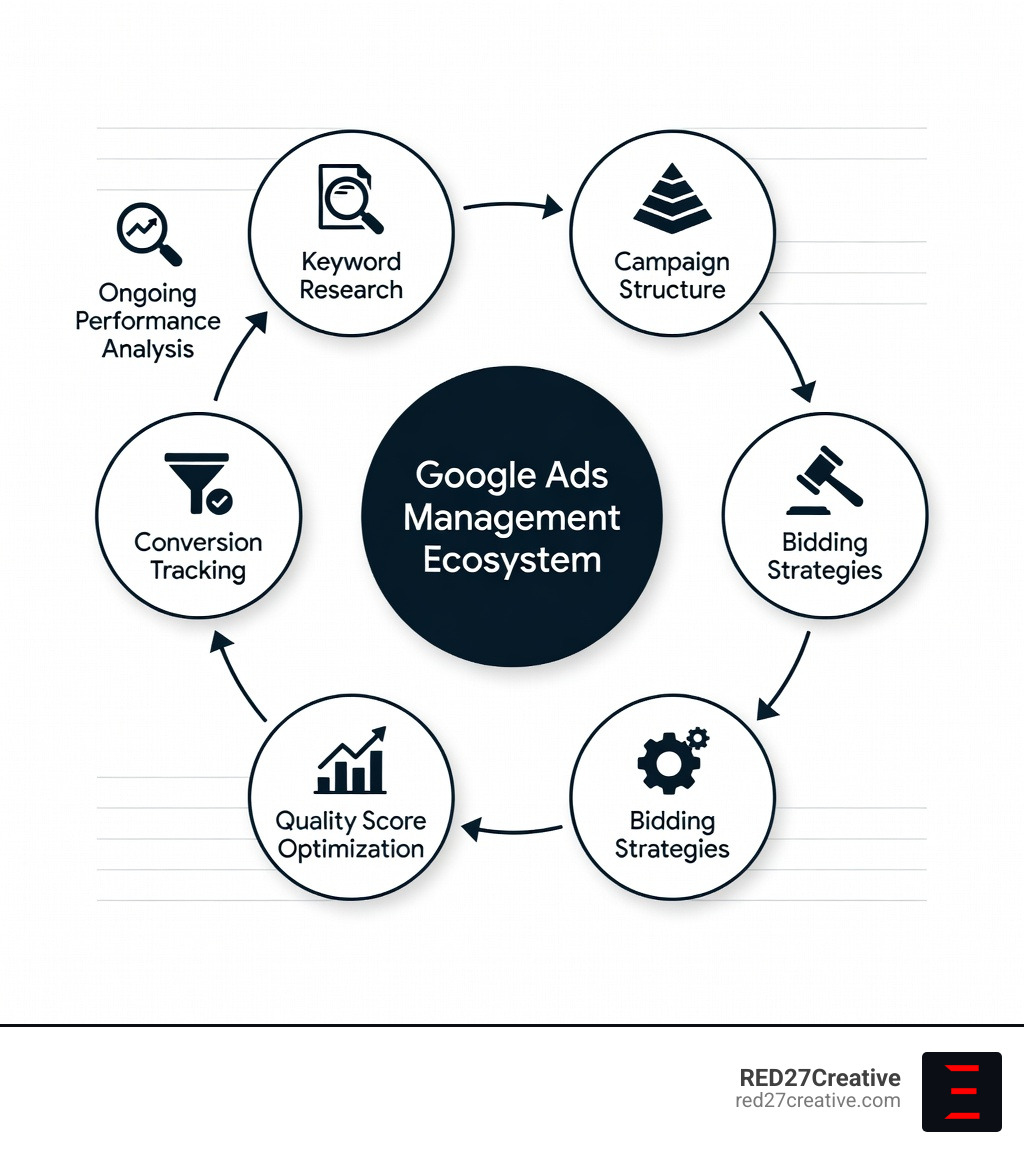
Quick Answer: What Does Google Ads Management Include?
- Keyword Research & Selection – Identifying high-intent search terms that drive qualified traffic
- Campaign Structure & Organization – Building logical ad groups aligned with business goals
- Bid Strategy Management – Adjusting manual or automated bids to control costs and improve ROI
- Ad Copy Testing – Writing compelling headlines and descriptions, then A/B testing for performance
- Quality Score Optimization – Improving ad relevance, expected CTR, and landing page experience
- Conversion Tracking – Measuring which clicks turn into leads, sales, or other business outcomes
- Ongoing Monitoring & Adjustments – Reviewing data weekly to add negatives, refine keywords, and scale what works
Many businesses struggle with Google Ads because they treat it like a one-time setup rather than an ongoing system. The platform’s increasing automation—powered by AI and machine learning—has made it easier to launch campaigns but harder to maintain visibility into what’s actually driving results. Without active management, budgets get spent on broad match keywords, irrelevant clicks, and low-quality traffic that never converts.
According to Google’s own data, businesses earn an average of $8 for every $1 spent on Google Ads—but only when campaigns are managed strategically. Poor campaign structure, weak keyword targeting, and neglected Quality Scores can quickly turn that ROI negative. The research shows that 63% of people would click on a Google Ad over ads on other platforms, making it one of the most trusted advertising channels available. But trust alone doesn’t guarantee results.
Effective Google Ads management requires balancing multiple priorities: controlling costs per click, improving ad position without overpaying, testing creative variations, and ensuring landing pages convert visitors into customers. Tools like Google Ads Manager Accounts (MCC) allow agencies and enterprises to oversee multiple campaigns from a single dashboard—some managing up to 85,000 linked accounts. Third-party platforms like Optmyzr and Opteo have emerged to fill gaps in Google’s native tools, offering automation, anomaly detection, and cross-account reporting that give advertisers back the control they’ve lost to Google’s “black box” algorithms.
For small businesses with limited budgets—especially in competitive niches like beauty e-commerce—the challenge is even greater. High CPCs and margin-eating ad costs make it critical to focus on the right campaign types. Discovery campaigns and Google Shopping often outperform Search ads in visual categories, delivering nearly half the CPC with better ROAS potential. But knowing which levers to pull requires experience, testing, and constant refinement.
I’m Kiel Tredrea, founder of RED27Creative, and I’ve spent over 20 years helping businesses build profitable marketing systems that integrate strategy, then design, and measurable results. My team specializes in Google Ads management that treats paid search as part of a larger growth system—connected to SEO, web performance, and lead generation—so every dollar spent works harder. In this guide, we’ll walk through the core components of successful Google Ads management, from mastering Quality Score and bidding strategies to scaling with Manager Accounts and navigating Google’s evolving automation.
Similar topics to Google Ads management:
The Core Pillars of Effective Google Ads Management
Success in Google Ads management isn’t about luck; it’s about a disciplined framework that covers every touchpoint of the customer journey. Whether you are a local service provider in Geneva, IL, or a large enterprise in Chicago, the fundamentals remain the same. You need to be seen by the right people, at the right time, with the right message.
Strategic Planning and Goal Setting
Before we ever log into the dashboard, we must define what success looks like. Are we looking for immediate phone calls (lead generation), or are we trying to move inventory for a Naperville e-commerce brand? We align campaigns with business objectives like Customer Acquisition Cost (CAC) and Lifetime Value (LTV). This ensures that every dollar spent is a step toward your actual business goals, not just “vanity clicks.”
In-Depth Keyword Research
Keywords are the bridge between a customer’s problem and your solution. We use a mix of tools like Google Trends, Spyfu, and SEMrush to identify not just high-volume terms, but high-intent terms.
- Exact Match [Keyword]: Provides the most control but lower volume.
- Phrase Match “Keyword”: Offers a balance of reach and relevance.
- Broad Match: Great for discovery but requires heavy negative keyword management to avoid wasting money on “free” or “jobs” related searches.

Compelling Ad Copywriting and A/B Testing
Your ad is your first impression. We focus on writing headlines and descriptions that address the user’s pain point immediately. We also leverage Dynamic Keyword Insertion (DKI) to make ads feel personalized to the user’s specific search query. However, writing the ad is only half the battle. We constantly run A/B tests to see which messaging resonates better, leading to higher click-through rates (CTR) and lower costs.
For more deep dives into these processes, check out our Ultimate PPC Campaign Management Guide and learn how we handle PPC ROI Optimization. Following Google Ads Best Practices is the baseline; our strategy is what drives the results.
Mastering Ad Rank and Quality Score
Many advertisers think the highest bidder always wins the top spot. In reality, Google uses a metric called Ad Rank to determine where your ad sits. The formula is essentially: Bid x Quality Score.
Quality Score is a 1-10 rating that acts as a multiplier for your success. If you have a high Quality Score, you can actually pay less than your competitors and still outrank them.
The three main components of Quality Score are:
- Expected Click-Through Rate (CTR): How likely is someone to click your ad?
- Ad Relevance: Does the ad copy actually match what the user searched for?
- Landing Page Experience: When they click, is your website fast, mobile-friendly, and relevant?
We focus heavily on Search Quality signals to ensure your landing pages aren’t just pretty, but functional. A sub-second load time and a clear call-to-action can drastically improve your Quality Score, saving you thousands in the long run.
Strategic Bidding for Google Ads Management
Managing your budget is one of the most complex parts of Google Ads management. You have to choose between manual control and AI-driven automation.
- Manual Bidding: Best for new accounts with little data. It allows us to set hard caps on what we pay for specific keywords.
- Smart Bidding: This uses Google’s machine learning to optimize for conversions in real-time. Strategies like Target CPA (Cost Per Acquisition) and Target ROAS (Return on Ad Spend) are powerful, but they require a steady stream of conversion data to work effectively.
We often start with manual bidding to gather clean data before transitioning to automated strategies. This prevents the “black box” from spending your budget on low-quality traffic during the learning phase. For a deeper look at budget control, visit our guide on Google Ads Budget Management.
Scaling with a Google Ads Manager Account (MCC)
If you are managing multiple brands, regional locations (like separate campaigns for Aurora and St. Charles), or if you’re an agency like us, a Google Ads Manager Account (MCC) is non-negotiable.
An MCC is a master dashboard that allows you to manage up to 85,000 linked accounts with a single login. It provides a “bird’s-eye view” of performance across your entire portfolio, making it easier to spot trends and reallocate budgets where they will have the most impact.
Step-by-Step Setup for Your Manager Account
Setting up an MCC is straightforward, but it requires careful attention to administrative ownership.
- Visit the Signup Page: Start at the official Google Ads Manager Account signup page.
- Name Your Account: Choose a name that is clear to your clients or internal stakeholders.
- Select Usage: Choose whether you are managing your own accounts or other people’s accounts.
- Link Sub-Accounts: Navigate to “Sub-account settings” and click the plus button to link existing accounts. You’ll need the 10-digit Customer ID for each account you want to link.
For a detailed walkthrough on the initial stages of your journey, see our PPC Campaign Setup resource.
Benefits of Centralized Google Ads Management
The real power of an MCC lies in its efficiency features. Instead of logging in and out of ten different accounts, you can:
- Consolidated Billing: Receive one monthly invoice for all linked accounts rather than managing dozens of credit card charges.
- Shared Negative Keyword Lists: If you find a “junk” keyword that doesn’t work for your Batavia location, you can apply that negative keyword to every other account in your MCC with one click.
- Cross-Account Reporting: Compare performance between different regions or product lines instantly.
- User Permissions: Easily grant or revoke access to team members across all accounts simultaneously.
This level of control is essential for professional Google Ads Account Management and ensures that Google Ads Campaign Management remains organized as you grow.
Advanced Strategies for High-Performance Campaigns
Once the basics are solid, we move into advanced strategies that separate the amateurs from the pros. Modern Google Ads management requires a multi-channel approach within the Google ecosystem.
Campaign Comparison Table
| Campaign Type | Primary Goal | Best For | Key Advantage |
|---|---|---|---|
| Search | Sales/Leads | High-intent queries | Appears when users are actively looking. |
| Shopping | E-commerce Sales | Product visibility | Shows image, price, and store name. |
| Discovery | Brand Awareness | Visual engagement | Lower CPCs; appears on YouTube and Gmail. |
| Display | Remarketing | Staying top-of-mind | Reaches users on 2M+ websites. |
Audience Targeting and Remarketing
Keywords tell us what someone is looking for, but audiences tell us who they are. We use advanced targeting to reach people based on their interests, demographics, or previous interactions with your website.
Remarketing is particularly effective. If a user visits your St. Charles service page but doesn’t call, we can show them targeted ads as they browse other sites, gently nudging them back to your brand. This is a core part of a winning Google Ads Marketing Strategy. We also utilize Google Ads Dynamic Search Ads to automatically generate ads based on your website content, ensuring no search query goes unanswered.
Navigating AI and Automation in Modern Advertising
Google has pushed hard toward AI-driven campaigns like Performance Max. While these can be incredibly effective, they are often a “black box.” Our job in Google Ads management is to provide the “guardrails” for the AI.
We don’t just “set it and forget it.” We monitor machine learning models closely, especially during the first few weeks of data collection. We ensure the AI has high-quality data to learn from, as poor data in leads to poor results out. If you’re worried about where your money is going, our Google Ads Audit Complete Guide can help you uncover hidden waste in automated campaigns.
Optimizing for Mobile and Local Search
With more than half of all Google searches happening on mobile devices, your ads must be mobile-friendly. For businesses in Oswego, Plainfield, or Batavia, local search is your bread and butter.
We utilize Location Extensions (now called assets) to show your business address, phone number, and a map marker directly in the ad. Proximity targeting allows us to bid more aggressively for users who are within a 5-mile radius of your storefront, ensuring you capture local foot traffic.
Our Chicago PPC Services focus heavily on this local integration, connecting your Google Business Profile to your ad account for maximum visibility in the “Map Pack.”
Frequently Asked Questions about Google Ads Management
What is Google Ads management and why is it essential?
Google Ads management is the ongoing process of overseeing and optimizing paid advertising campaigns to ensure maximum return on investment. It is essential because it involves strategic keyword selection, bid adjustments, and creative testing that prevent wasted ad spend while ensuring your business appears in front of high-intent customers at the right time.
How does Quality Score impact my advertising costs?
Quality Score is Google’s rating of the relevance and quality of your keywords and ads. A high Quality Score—driven by strong click-through rates, ad relevance, and landing page experience—can lead to lower costs per click and better ad positions, effectively allowing you to outrank competitors who may be bidding more than you.
Who should use a Google Ads Manager Account (MCC)?
A Google Ads Manager Account is designed for agencies, large enterprises, or marketing professionals who need to manage multiple Google Ads accounts from a single dashboard. It streamlines reporting, simplifies consolidated billing, and allows for efficient cross-account management, making it the ideal tool for anyone overseeing more than one advertising entity.
How long does it take to see results from Google Ads?
While ads can go live almost instantly, the real profit often takes time. Google’s machine learning models typically require 2–4 weeks of data to begin optimizing effectively. We recommend a “patience period” of the first 90 days to fully refine keywords, test ad copy, and achieve a stable ROI.
Should I use manual or automated bidding?
It depends on your data. If your account has fewer than 30 conversions per month, manual bidding often provides better control. Once you have a steady stream of conversion data, switching to automated Smart Bidding can help you scale by leveraging thousands of real-time signals that humans simply can’t process manually.
Conclusion
Managing Google Ads isn’t a “set it and forget it” task. It requires a blend of creative messaging, technical data analysis, and a deep understanding of the local markets in Geneva, Naperville, and the greater Chicago area. At RED27Creative, we don’t just look at clicks; we look at the entire engine of your growth.
From high-level Google Ads Management Services to custom web designs that convert that traffic into leads, we partner with businesses ready for real, measurable success. Whether you’re looking to audit an existing account or build a new lead generation system from scratch, we’re here to ensure your digital marketing works as one unified engine.
Ready to turn your ad spend into an investment? Let’s build something that grows. Contact us today to start your journey toward better ROI and a stronger online foundation.

Kiel Tredrea
https://red27creative.comTop Marketing Agency • Web, SEO & Leads • RED27Creative