Master Your ROI with Google Ads Ad Manager
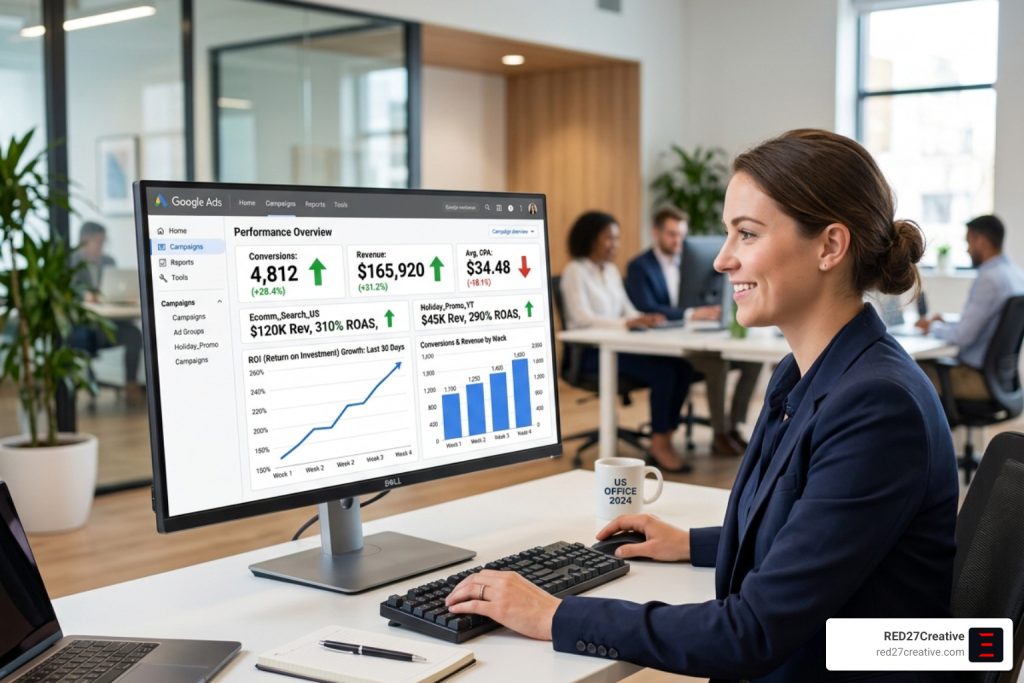
Why Every Growth-Focused Business Needs a Google Ad Campaign Manager in 2026
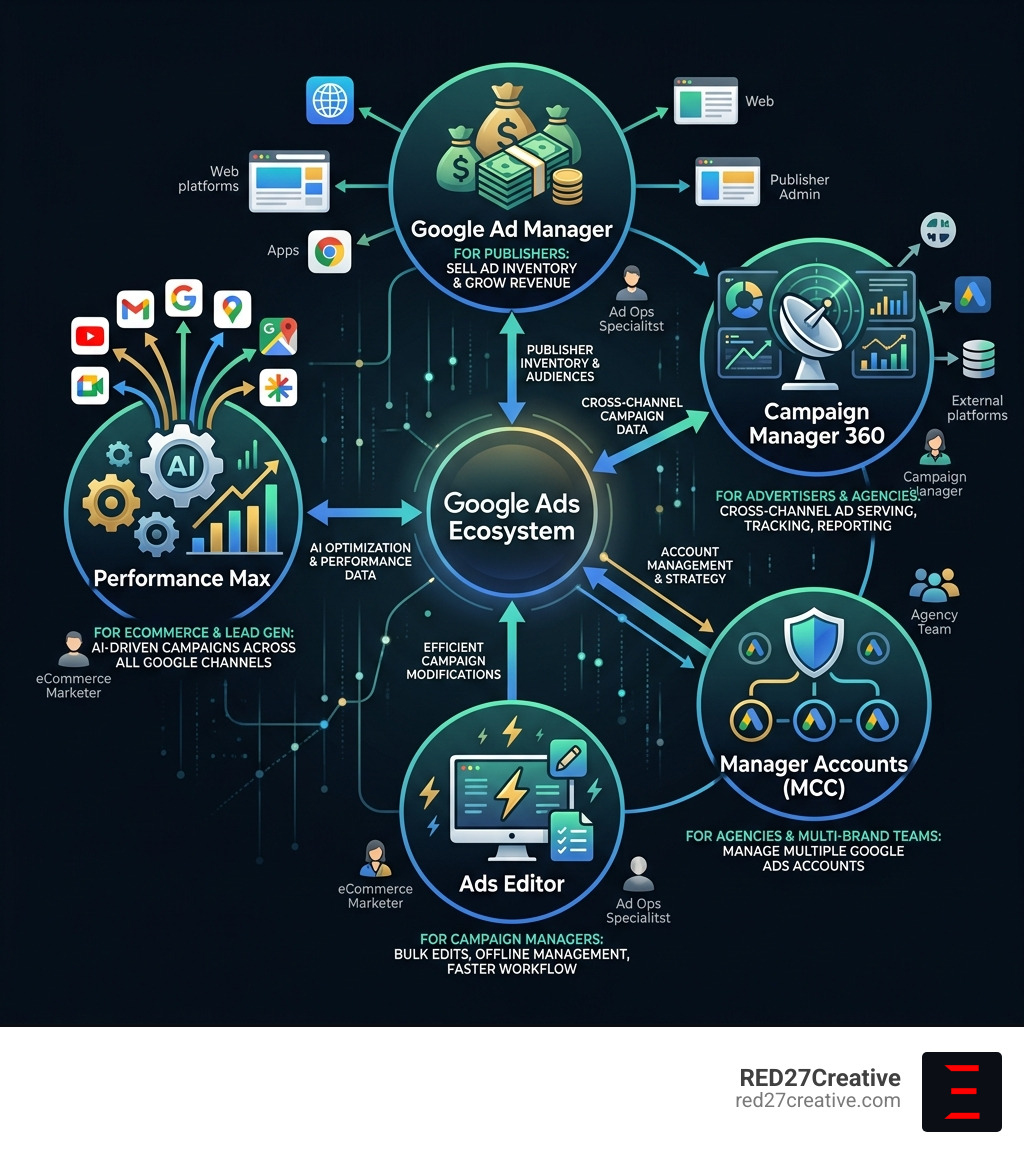
Google ad campaign manager is not a single tool — it’s an ecosystem of platforms designed to help businesses plan, run, measure, and optimize paid advertising at scale.
Here’s a quick breakdown of the core tools in that ecosystem:
| Tool | Who It’s For | Primary Purpose |
|---|---|---|
| Google Ad Manager | Publishers | Sell and manage ad inventory, grow ad revenue |
| Campaign Manager 360 | Advertisers & Agencies | Cross-channel ad serving, tracking, and reporting |
| Google Ads Manager Account | Agencies & Multi-brand Teams | Manage multiple Google Ads accounts from one login |
| Google Ads Editor | Campaign Managers | Bulk edits, offline management, faster workflow |
| Performance Max | eCommerce & Lead Gen | AI-driven campaigns across all Google channels |
Each tool plays a different role. Together, they form one of the most powerful advertising systems available to marketers today.
The stakes are real. Marketers who leverage automation within these platforms see up to a 30% increase in conversion rates compared to those running campaigns manually. In a noisy digital landscape, that gap compounds fast — and the difference between a well-managed campaign and a poorly structured one can mean the difference between scaling revenue and burning budget.
As Jeff Burkett, Vice President of Ad Innovations at USA Today Networks, put it: “A lot of digital advertising products were created without considering the user’s experience. We believe you must lead with the user, which in turn delivers greater results for the marketer.” That philosophy sits at the heart of how Google has built these tools — and how the best campaign managers use them.
I’m Kiel Tredrea, founder of RED27Creative, and over more than 20 years of building data-driven marketing systems for B2B and service-based companies, I’ve guided teams through the full scope of what a google ad campaign manager setup can and should look like. In this guide, I’ll walk you through every major tool, how they connect, and what it takes to get real, measurable ROI from each one.
Easy google ad campaign manager glossary:
Understanding the Google Ad Campaign Manager Ecosystem
Navigating Google advertising can feel like learning a new language. To master your ROI, we first need to distinguish between the two heavyweights: Google Ad Manager and Campaign Manager 360. While they sound similar, they serve opposite sides of the advertising coin.
Google Ad Manager
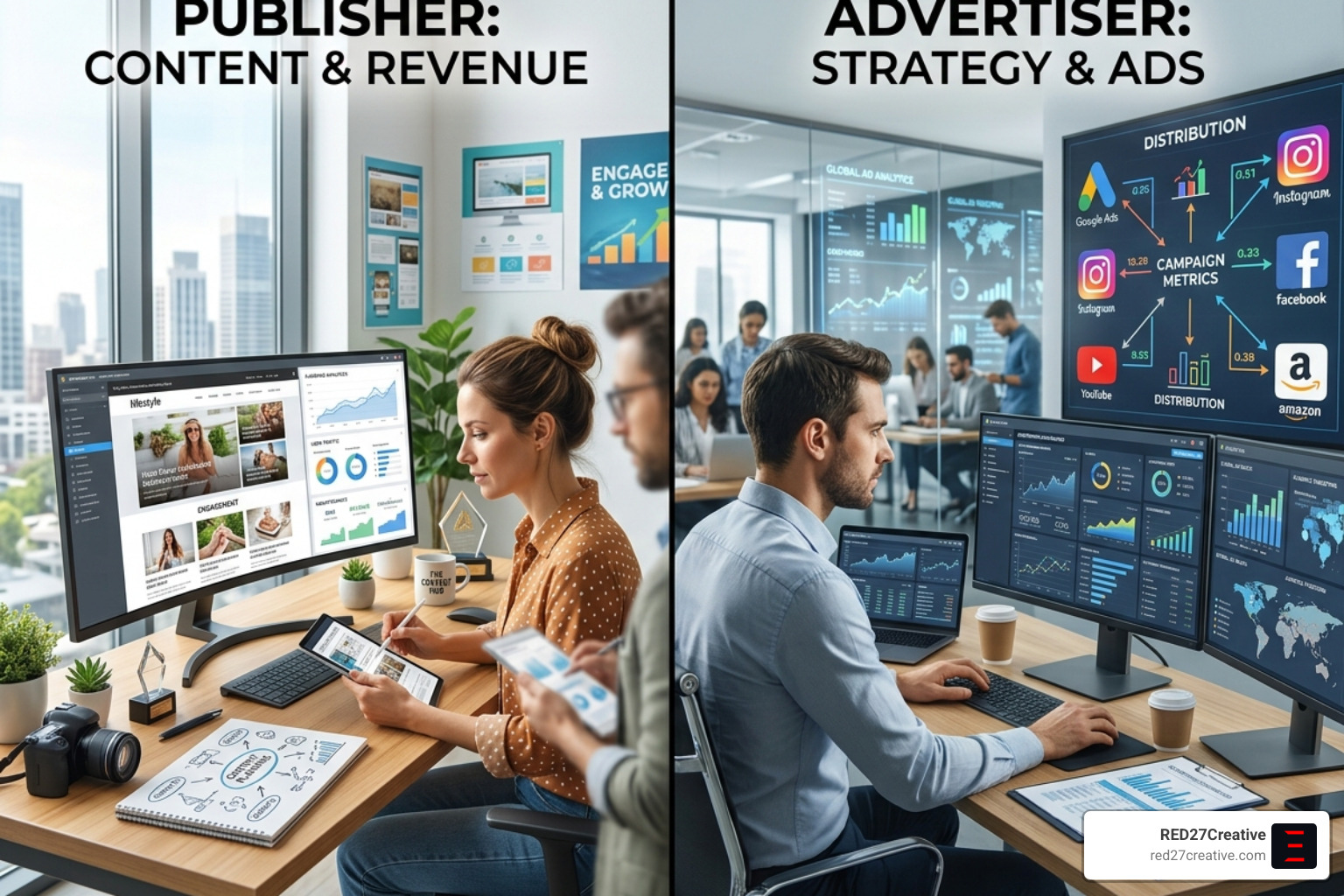
Google Ad Manager is an integrated advertising management platform primarily built for publishers. If you own a high-traffic website and want to sell ad space, this is your hub. It focuses on growing ad revenue and protecting your brand by ensuring high-quality user experiences.
By prioritizing the user, publishers can maximize the value of every impression across mobile, web, and even connected TV. For a deep dive into how these structures work, check out our Google Ads Management Complete Guide.
Campaign Manager 360
On the other side, we have Campaign Manager 360 (CM360). This is the “system of record” for advertisers and agencies. It is a web-based ad management system used for ad serving, tracking, and comprehensive measurement across multiple digital channels.
Whether you are running display ads on a niche blog or video ads on YouTube, CM360 centralizes your data. It provides transparency into paid media through built-in attribution and automated third-party verification, ensuring you aren’t paying for “ghost” impressions.
| Feature | Google Ad Manager | Campaign Manager 360 |
|---|---|---|
| Primary User | Publishers (Sellers) | Advertisers (Buyers) |
| Main Goal | Maximize Yield/Revenue | Optimize ROAS/Attribution |
| Key Function | Ad Inventory Management | Cross-Channel Ad Serving |
| Best For | Monetizing Content | Measuring Media Performance |
Scaling Efficiency with Google Ads Manager Accounts
If you are managing more than one brand or client, logging in and out of individual accounts is a productivity killer. This is where Google Ads manager accounts (formerly known as My Client Center or MCC) become essential.
A manager account allows us to view and manage multiple Google Ads accounts from a single dashboard. This isn’t just about convenience; it’s about control. With a manager account, you can implement Google Ads Account Management strategies at scale, such as consolidated billing and cross-account performance tracking.
Key Capabilities of Manager Accounts:
- Single Login: Use one email address to manage up to 20 Google Ads accounts.
- Massive Scale: These accounts can handle more than 500 individual accounts, though you may need to filter your view to see specific campaign data.
- Consolidated Billing: Pay for multiple accounts with a single monthly invoice.
- Automated Oversight: Set up automated rules, alerts, and email notifications to keep campaigns on track without manual checks every hour.
To get started, you simply create and manage campaigns from your manager account by selecting the target account and campaign type directly from the “Campaigns” drop-down menu. This centralized approach ensures that your Google Ads Campaign Management stays organized and efficient.
High-Performance Tools for Enterprise Growth
For the professional google ad campaign manager, the standard browser interface isn’t always enough. When you need to make thousands of changes across dozens of campaigns, you need the right tools.
Google Ads Editor
Google Ads Editor is a free, downloadable application that allows you to work offline and make bulk changes quickly. It is the secret weapon for high-speed Google Ads Campaign Management.
With Editor, we can search and replace text across campaigns, move items between ad groups, and review changes in “draft” mode before posting them live. This prevents the “fat-finger” errors that can happen when editing live campaigns in a hurry. You can even export files for colleague review, making it a collaborative powerhouse.
Advanced Tools for the Modern Google Ad Campaign Manager
Beyond the standard UI, enterprise-level growth often requires programmatic access.
- Campaign Manager 360 API: Allows developers to programmatically access account information and automate workflows.
- Data Transfer v2.0: Provides raw reporting data for advanced analytics that go beyond standard dashboards. This is vital for PPC ROI Optimization.
- Bulk Sheets: Enables the export and import of entities in bulk, streamlining the trafficking process.
By leveraging these tools, we can move from manual “tinkering” to building automated systems that drive results while we sleep.
Driving Results with Performance Max and Merchant Center
In 2026, automation is no longer optional. Performance Max (P-Max) is Google’s flagship “all-in-one” campaign type that bundles Search, Shopping, YouTube, Display, and Gmail into a single machine-learning-driven engine.
The Power of the Feed
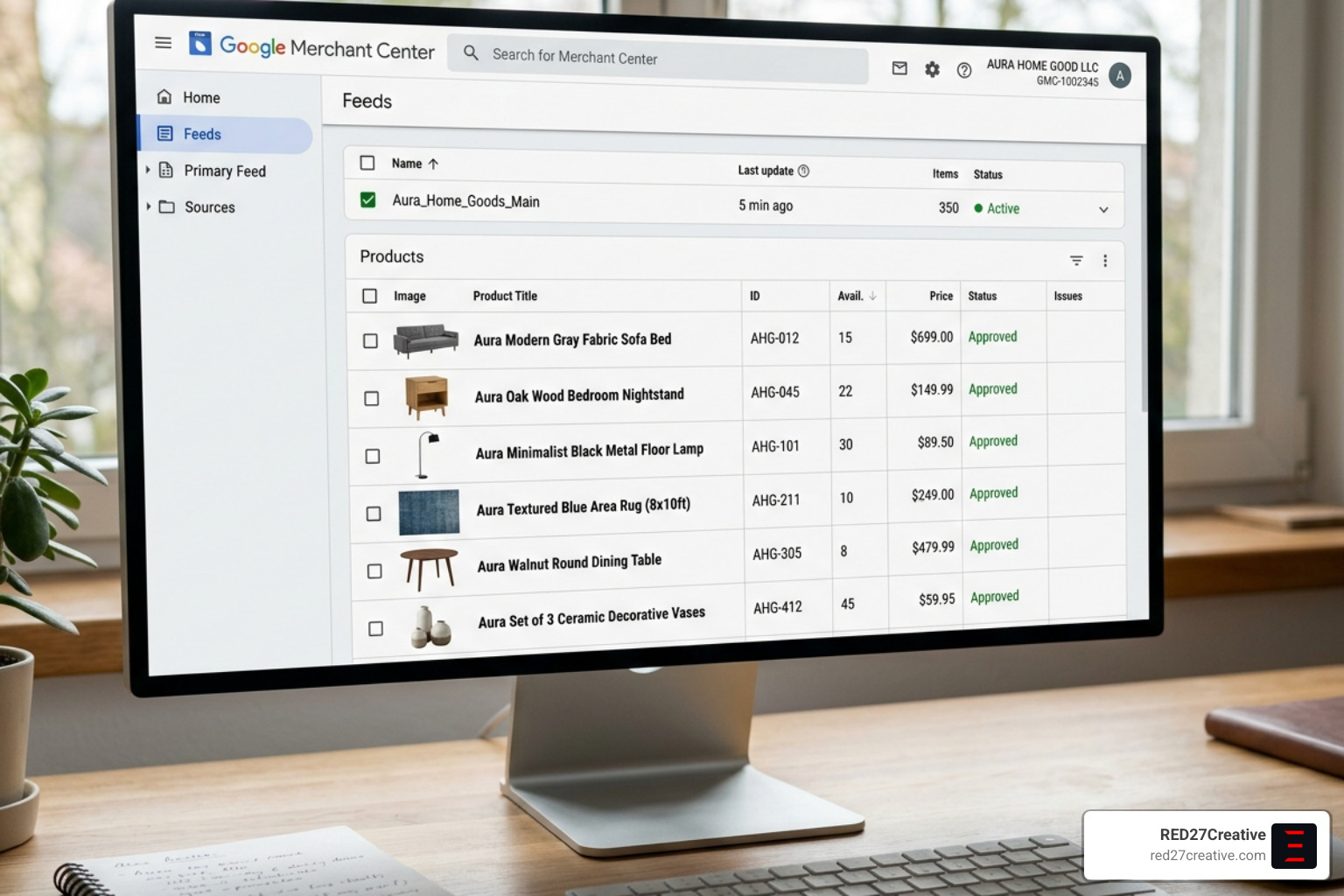
For eCommerce brands, your Merchant Center feed is the “rocket fuel” for P-Max. Most advertisers fail here because they treat the feed as a set-it-and-forget-it task. To win, you must implement a rigorous PPC Campaign Strategy.
- Title Optimization: Include brand, color, size, and customer search terms.
- Sale Badges: Including sale price effective dates can lift Click-Through Rate (CTR) by as much as 30%.
- High-Quality Assets: Swap out low-performing images every two weeks based on asset scores.
ROAS Scaling with the Hero and Skirmish Method
We often use the “Hero and Skirmish” method to manage P-Max. Your “Hero” is a broad asset group with your best-sellers, while “Skirmish” groups target high-margin or niche categories. This provides more control over how the AI allocates your budget.
In one real-world example, a footwear retailer optimized their feed and restructured their asset groups. Within 30 days, their ROAS climbed from 2.1 to 4.2, and their Shopping impression share jumped from 28% to 61%. This kind of growth is only possible when you combine Google’s machine learning with expert human oversight. For more on these tactics, see our Ultimate PPC Campaign Management Guide.
Strategic Oversight and Compliance
A great google ad campaign manager doesn’t just focus on the “buy” button; they focus on the framework. Setting up a campaign correctly in Campaign Manager 360 requires attention to detail in the “Properties” tab.
Campaign Properties and Setup
When you set up a campaign, you define properties like scheduling, landing page defaults, and billing.
- Scheduling: Start and end dates determine the reporting period, but remember: changing campaign dates doesn’t always automatically stop ad serving unless the placements are also updated.
- Billing Invoice Codes: Essential for identifying campaigns in third-party billing systems.
- Floodlight Tags: These are the backbone of conversion tracking. Overriding advertiser-level settings for specific conversion windows can help you capture the full customer journey.
A regular Google Ads Audit Complete Guide check ensures these properties remain aligned with your business goals.
Best Practices for a Professional Google Ad Campaign Manager
Compliance and brand safety are paramount.
- EU Political Ads: There are strict self-declaration requirements for political ads, with significant policy changes expected by late 2025.
- Ad Blocking: Use verification settings to prevent your ads from serving on undesirable or unsafe content.
- Creative Optimization: Set your metric to optimize rotation based on CTR or conversion rate to let the best-performing assets lead the charge.
By following a Google Ads Marketing Strategy that emphasizes both performance and compliance, we protect the brand while driving growth.
Frequently Asked Questions about Google Ad Campaign Management
What is the difference between Google Ad Manager and Campaign Manager 360?
Google Ad Manager is primarily a supply-side platform for publishers to manage and sell ad space. In contrast, Campaign Manager 360 is a demand-side ad server used by advertisers and agencies for cross-channel ad serving, tracking, and centralized reporting across web, mobile, and connected TV environments.
How do Google Ads manager accounts simplify multi-client management?
Manager accounts, formerly known as My Client Center (MCC), allow you to link multiple Google Ads accounts to a single dashboard. This enables consolidated billing, cross-account reporting, and the ability to manage up to 20 accounts under one email address, significantly improving operational efficiency for agencies.
What are the best practices for optimizing Performance Max campaigns?
To maximize Performance Max ROI, ensure your Merchant Center feed is fully optimized with high-quality images and descriptive titles. Use audience signals like past purchasers to accelerate machine learning, and avoid “tinkering” with settings during the initial seven-day learning period to allow the AI to stabilize.
How can Google Ads Editor improve my workflow?
Google Ads Editor allows for offline editing and bulk changes, such as finding and replacing keywords or moving ads between groups. This saves hours of manual work and allows you to review all changes in a draft mode before they go live, reducing the risk of costly errors.
What is the “Sale” badge and how does it affect CTR?
The “Sale” badge is a visual indicator in Google Shopping that appears when you include sale price effective dates in your Merchant Center feed. Statistics show that including these dates to trigger the badge can lift Click-Through Rate (CTR) by as much as 30%.
Conclusion
Mastering the google ad campaign manager ecosystem is the key to unlocking sustainable, scalable growth in 2026. Whether you are a local business in Geneva, IL, or a national brand, the principles of data-driven management remain the same: prioritize the user, leverage automation, and never stop auditing your performance.
At RED27Creative, we don’t just “run ads.” Led by our founder Kiel Tredrea, we build unified growth engines. From our base in Geneva, Illinois, we serve businesses in Batavia, Aurora, St. Charles, and across the Chicago area, turning digital visibility into qualified opportunities.
With over 20 years of experience, we specialize in connecting every part of your marketing—from SEO and web design to advanced Google Ads management services. We partner with businesses ready to grow, delivering ROI-driven strategies that attract visitors and build lasting trust.
Ready to stop guessing and start growing? Let’s build a system that works for you. Reach out to us at RED27Creative today, and let’s turn your ad spend into a measurable success story.

Kiel Tredrea
https://red27creative.comTop Marketing Agency • Web, SEO & Leads • RED27Creative