Stop Being a One-Hit Wonder and Master Digital Marketing Video Editing

Why Digital Marketing Video Editing Is the Skill Your Business Can’t Afford to Ignore
Digital marketing video editing is the process of creating, cutting, and optimizing video content specifically to meet marketing goals — whether that’s building brand awareness, driving traffic, or converting leads into customers.
Here’s a quick breakdown of what it covers:
- Social media videos – Short, captioned clips optimized for platforms like LinkedIn, Instagram, and TikTok
- Content marketing videos – Longer-form videos embedded in blog posts or hosted on YouTube to drive organic traffic
- Conversion videos – High-quality videos placed on key landing pages to turn visitors into buyers
- Core skills needed – Storytelling, brand consistency, CTA placement, captions, and platform-specific formatting
- Top tools used – Descript, Kapwing, Camtasia, Wistia, and YouTube
Video isn’t a nice-to-have anymore. 82% of brands report that video is becoming more important to their marketing strategy. And yet, most businesses are still treating video as an afterthought — shooting once, posting once, and moving on.
That’s the one-hit-wonder trap. And it’s costing you visibility, engagement, and leads.
The businesses winning with video aren’t just producing more content. They’re editing smarter — with marketing strategy baked into every frame, caption, and cut.
I’m Kiel Tredrea, founder of RED27Creative, and over 20 years of building results-driven marketing systems for B2B and service-based companies has shown me how digital marketing video editing — done right — can transform an underperforming content strategy into a consistent lead generation engine. This guide will walk you through exactly how to do that.
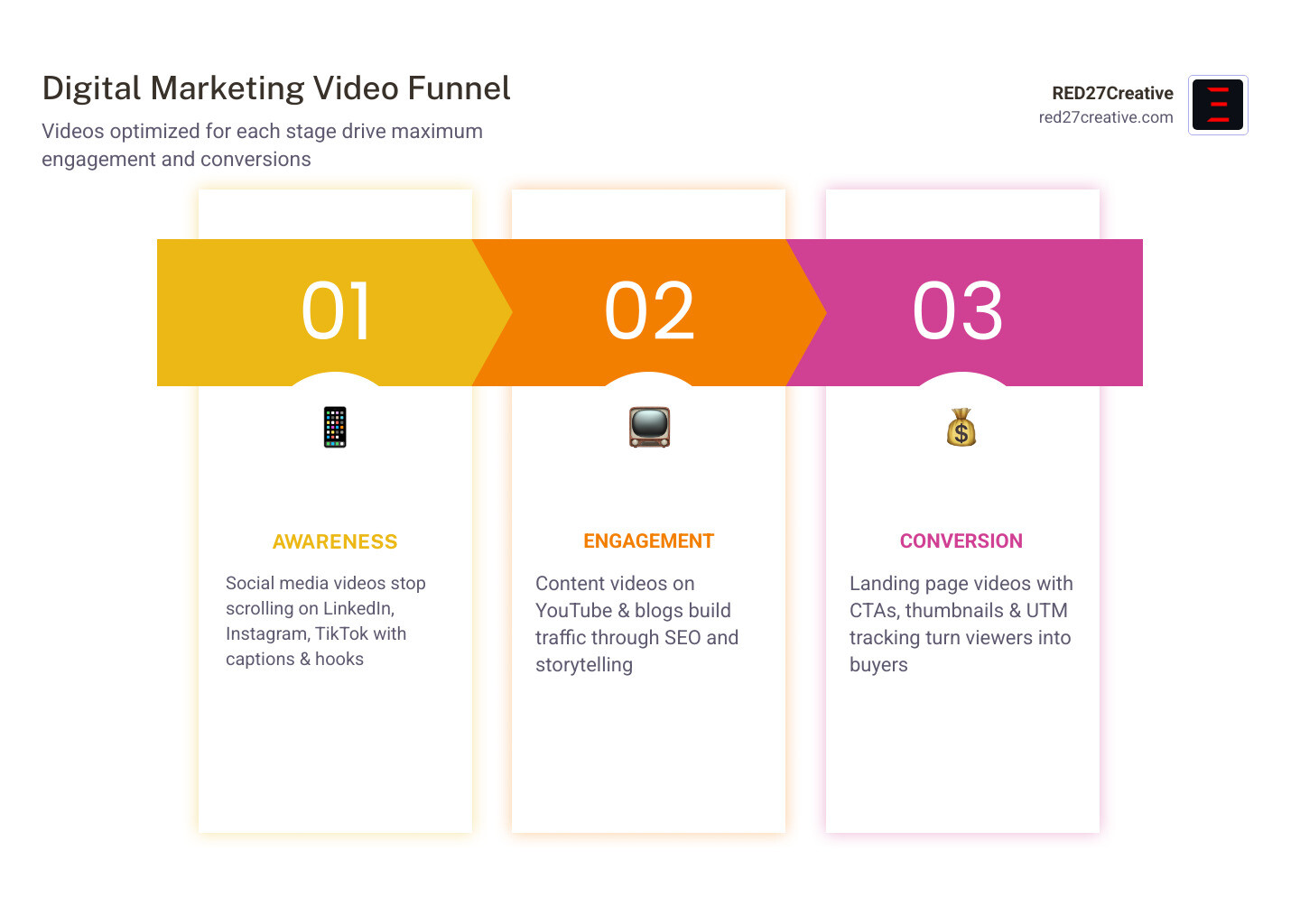
The Three Pillars of Digital Marketing Video Editing
To master digital marketing video editing, we must first understand that not all videos serve the same purpose. A video that stops a thumb from scrolling on LinkedIn is vastly different from one that convinces a lead to book a consultation on your “About Us” page.
Successful creative video marketing relies on the harmony of three elements: the Message, the Messenger, and the Format. When we edit, we aren’t just moving clips around; we are refining these pillars to match the viewer’s stage in the marketing funnel.
- Social Media Videos: These are your “handshakes.” They are short (often under 60 seconds), , and designed for silent autoplay. Your goal here is awareness.
- Content Marketing Videos: These provide value and education. They are usually embedded in articles or hosted on YouTube to answer specific questions.
- Conversion Videos: These are the heavy hitters. They live on your sales pages and carry the “big ask.” They require higher production value because they represent the final step in the trust-building process.
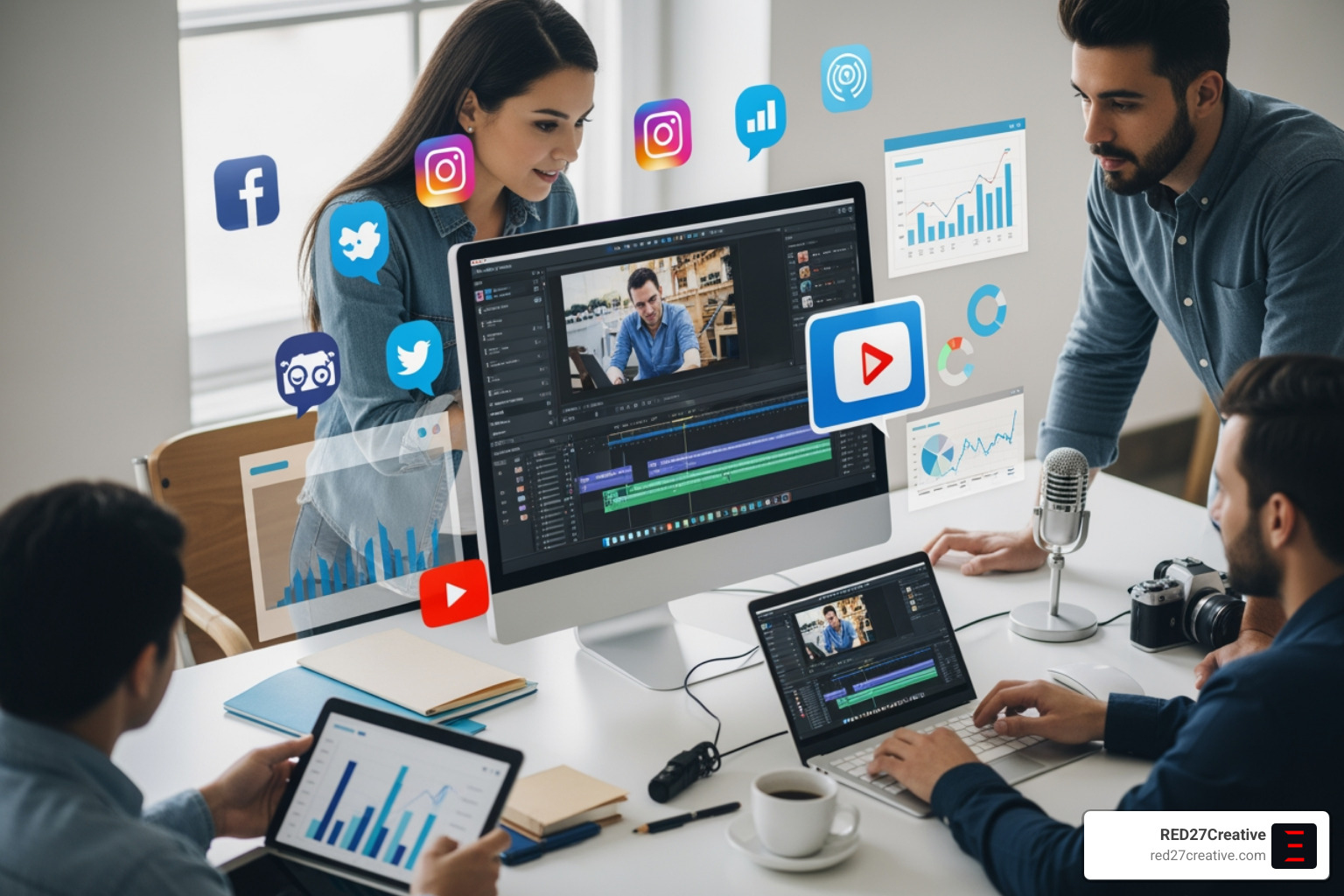
Hosting and Posting for Maximum Impact
Where you put your video is just as important as how you edit it. We see many businesses make the mistake of hosting everything on YouTube and then embedding those links everywhere.
For social media, native is king. You should upload your video files directly to LinkedIn, Facebook, or Instagram. These platforms prioritize native content in their algorithms, giving you far more reach than an external link ever would.
For seo video marketing, YouTube is a powerful search engine. It’s perfect for educational content where you want to be found by people searching for “how-to” solutions. However, for conversion videos on your own website, we recommend using a professional host like Wistia.
Wistia’s video platform offers ad-free players and deep analytics that sync with your marketing stack. It allows you to see exactly who watched what, which is vital for sales follow-ups. You can even use Wistia’s editing tools to polish clips directly in your browser.
Optimizing Digital Marketing Video Editing for Conversions
If a video plays and no one clicks, did it even happen? To drive real results, we focus on three technical optimizations:
- Custom Thumbnails: Never let the platform pick a random frame. Use a high-contrast image featuring a human face and a bold headline. Expert tips for thumbnails suggest that a smiling face looking at the camera builds immediate trust.
- Captions are Mandatory: Most social videos are watched on mute. If you don’t have captions, you’re losing 80% of your audience.
- CTA Timing: Don’t wait until the very last second to ask for the click. Mention your call-to-action or display it visually about 75% of the way through the video.
Finally, track everything. Use GA4 and UTM parameters to see which videos actually drive traffic to your site. This data tells us what to edit next.
Essential Skills and Tools for the Modern Video Marketer
You don’t need a film degree to excel at digital marketing video editing, but you do need a “marketer’s eye.” This means prioritizing the story over flashy transitions. You must understand brand identity—ensuring the colors, fonts, and tone of the video match the rest of your company’s online presence.
Attention to detail is non-negotiable. A jump cut that is slightly off or audio that peaks too high can make a professional brand look amateur. This is where video post-production becomes the bridge between a raw recording and a polished marketing asset.
| Tool | Best For | Key Feature |
|---|---|---|
| Descript | Fast editing and audio cleanup | Text-based editing (delete words to cut video) |
| Kapwing | Social media assets and memes | Easy layering, resizing, and subtitling |
| Camtasia | Tutorials and professional overlays | Excellent screen recording and call-out effects |
Building a High-Performance Home Studio
Efficiency starts with your environment. If you have to set up your gear from scratch every time you want to record, you’ll eventually stop doing it. We recommend a “set it and forget it” approach.
Find a quiet corner in your office or home. You’ll need a DSLR or a high-quality mirrorless camera like a Sony a6000. Pair this with a RØDE microphone to ensure your audio is crisp—bad audio kills video engagement faster than bad lighting.
Speaking of lighting, avoid ring lights if you can; they often look artificial. Instead, use dimmable LED panels bounced off a wall for a soft, professional glow. Adding a few acoustic tiles to the walls can also remove that “empty room” echo, making your marketing video production sound like it was done in a professional studio.
Mastering Digital Marketing Video Editing Software
The software landscape has changed. You no longer need to spend months learning complex timelines.
- Descript: This tool is a game-changer for digital marketing video editing. It transcribes your video into text. If you want to cut out a “um” or a mistake, you just highlight the text and hit delete. It’s that simple.
- Kapwing: This is our go-to for adding those “social media wrappers”—the progress bars, headlines, and captions that make videos pop in a feed.
- Camtasia: For more structured content, Camtasia makes adding captions and subtitles a breeze. It’s affordable and much easier to learn than the Adobe suite for most business owners.
A Step-by-Step Guide to Batch Shooting and Editing
The secret to consistency is batching. We never recommend shooting just one video. Instead, set aside two hours once a month to record four or five videos at once. This keeps your energy high and your “studio” time low.
Your script structure should follow a proven formula:
- The Hook (0-5 seconds): Big energy, a provocative question, or a bold statement.
- The Intro (5-10 seconds): Briefly state who you are and why the viewer should care.
- The Meat (10-45 seconds): Deliver the value. Summarize your article or give three quick tips.
- The CTA (45-60 seconds): Tell them exactly what to do next.
This structure is a core part of our social media video creation ultimate guide. It ensures you don’t ramble and keeps the viewer engaged until the end.
From Raw Footage to Polished Marketing Asset
Once you have your raw files, the digital marketing video editing process begins. Start by importing your footage into Descript to remove filler words. Don’t worry about “jump cuts” (where the video visibly jumps between takes). In modern marketing, these are actually preferred—they add a sense of authenticity and keep the pace moving.
Next, add your overlay text. This should highlight your key points so people can follow along even without sound. Finally, before you export, ensure your settings are correct for the platform. For LinkedIn and Facebook, a square (1:1) or vertical (9:16) ratio usually performs best.
Don’t forget to add your UTM tracking code to the link in your video description. This is the only way to prove your digital marketing videography is actually contributing to your bottom line.
Transitioning Your Career into Video Marketing
If you are a traditional video editor looking to move into the marketing world, the opportunities are massive. On platforms like Upwork, there are currently over 6,400 active jobs for video editors.
The median earning expectation is $15–$35/hr, but those who understand “performance marketing”—the data behind the video—can command much higher rates. To stand out, you need to build a portfolio that doesn’t just show “cool shots,” but shows results.
“I edited this video” is okay. “I edited this video, and it drove 800 visitors to the client’s website” is how you get hired. Focus on building your personal brand by posting your own edited clips on LinkedIn to show agencies and brands exactly what you can do.
Certifications and Continuous Learning
The digital landscape moves fast. To stay relevant, we recommend pursuing certifications that blend creative skills with strategic ones.
- Google Skillshop: Learn the ins and outs of YouTube advertising and analytics.
- HubSpot Academy: Their content marketing and social media certifications are industry standards.
- Adobe Certifications: If you want to go deep into Premiere Pro or After Effects, these add significant weight to your resume.
Learning Instagram video marketing and TikTok trends will also make you an invaluable asset to any performance marketing team.
Frequently Asked Questions about Digital Marketing Video Editing
What is digital marketing video editing?
Digital marketing video editing is the process of tailoring video content to meet specific marketing goals, such as increasing brand awareness or driving conversions. Unlike traditional editing, it focuses on engagement metrics, platform-specific requirements like vertical aspect ratios, and strategic elements like captions and calls-to-action to guide the viewer’s journey.
How much do freelance video editors make in marketing?
Freelance video editors specializing in digital marketing typically earn between $15 and $35 per hour on platforms like Upwork. Rates vary based on expertise, the complexity of the project, and the editor’s ability to integrate marketing strategy—such as SEO and conversion optimization—into their creative workflow and final deliverables.
Which tools are best for marketing video editing?
The best tools for marketing video editing include Descript for text-based audio cleanup, Kapwing for social media visual layering, and Camtasia for professional captions and overlays. For hosting and analytics, platforms like Wistia and YouTube are essential for tracking viewer engagement and integrating video data into your marketing stack.
Conclusion
At RED27Creative, we believe that video is the most powerful tool in your marketing arsenal—but only if it’s part of a unified engine. Whether you are in Geneva, Naperville, or Chicago, your business needs more than just “pretty” videos; you need data-driven systems that turn visibility into qualified opportunities.
We specialize in building these foundations, connecting your digital marketing video editing efforts with advanced SEO, high-converting web design, and strategic lead generation. If you’re ready to stop being a one-hit wonder and start seeing measurable growth, we are here to help. More info about our marketing services is just a click away. Let’s build something that lasts.

Kiel Tredrea
https://red27creative.comTop Marketing Agency • Web, SEO & Leads • RED27Creative