Mastering Your Accounts: The Google Adwords Campaign Manager
Why the Google Adwords Campaign Manager Is the Command Center for Smarter Ad Spend
The Google Adwords campaign manager is an umbrella term for the suite of Google tools — primarily Google Ads Manager Accounts and Google Ad Manager — that let advertisers and agencies control, scale, and optimize paid advertising from a single, centralized dashboard.
Here is a quick breakdown of what it covers:
| Tool | Best For | Primary Function |
|---|---|---|
| Google Ads Manager Account | Advertisers & agencies | Manage multiple Google Ads accounts under one login |
| Google Ad Manager | Publishers | Manage ad inventory, trafficking, and programmatic sales |
| Campaign Manager 360 | Enterprise advertisers | Cross-channel ad trafficking, reporting, and verification |
If you manage more than one Google Ads account — or if you are an agency running campaigns for multiple clients — these tools are what keep everything from falling apart.
Without them, you are jumping between accounts, reconciling separate reports, and losing time that should be spent on strategy.
That is a real problem for growing businesses. The difference between a well-managed ad account and a poorly organized one is not just efficiency — it is wasted budget, missed opportunities, and leads that never convert.
This guide breaks down how the Google Ads management ecosystem works, how to set it up properly, and how to use it to get measurable results at scale.
I’m Kiel Tredrea, founder of RED27Creative, and over more than two decades of running paid digital campaigns — including hands-on work with the google adwords campaign manager across dozens of client accounts — I have seen what separates high-performing ad strategies from expensive guesswork. Let’s dig into the tools and structure that make the difference.
Understanding the Google Adwords Campaign Manager Ecosystem
Navigating Google advertising is complex. In 2018, Google rebranded AdWords to Google Ads and unified DoubleClick for Publishers (DFP) and Ad Exchange (AdX) into Google Ad Manager. While names have changed, the core mission remains: connecting businesses with the audiences that need them.
Whether you are a local business in Geneva, IL, or a growing enterprise in Chicago, understanding these distinctions is the first step toward Google Ads Management Complete Guide.
Google Ad Manager vs. Google Ads Manager Accounts
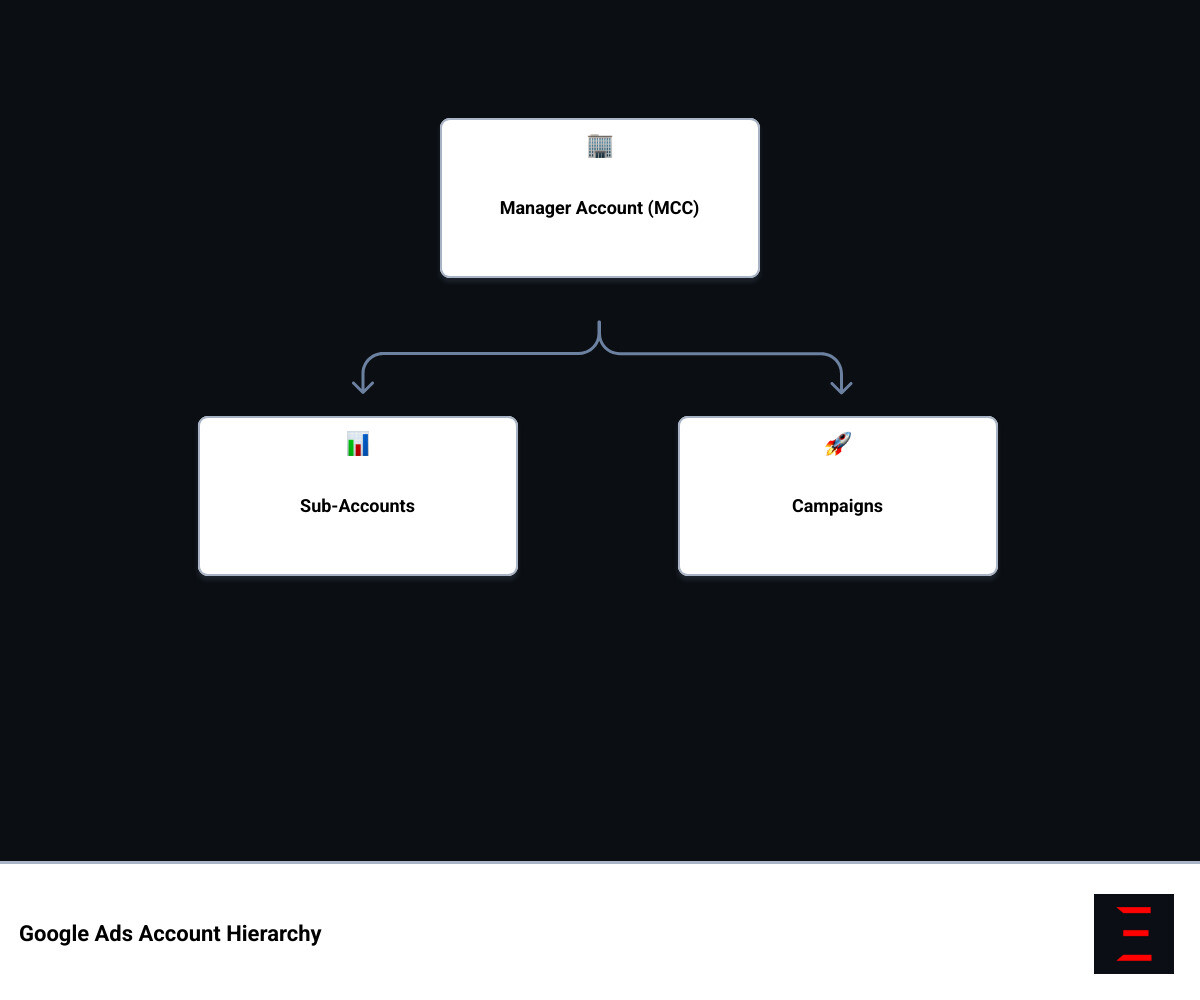
Google Ad Manager (GAM) is a publisher tool for selling ad space and managing inventory. Conversely, a Google Ads Manager Account (formerly MCC) is an advertiser tool used by agencies to oversee multiple Google Ads Account Management from a single login.
The Evolution of the Google Adwords Campaign Manager
The ecosystem has evolved through consolidation, such as the 2007 DoubleClick acquisition. In 2018, Google introduced simpler brands to streamline the platform. Recent shifts, including the move to first-price auctions and ongoing legal developments, continue to shape how the google adwords campaign manager functions for businesses in Naperville and beyond.
Setting Up and Scaling with Manager Accounts
For clients in Aurora and Batavia, the Manager Account (MCC) is essential for Ultimate PPC Campaign Management Guide. It eliminates the need to toggle between multiple logins, providing a single sign-in, unified reporting, and consolidated billing across all linked accounts.
How to Create and Link Accounts
To create a Google Ads Manager Account, sign in with your primary email and select “Create a manager account.” Once established, you can link accounts to your manager accounts by entering their 10-digit Customer IDs in the “Sub-account settings.” This is a vital part of professional PPC Campaign Setup.
Scaling Your Google Adwords Campaign Manager Strategy
Scaling involves managing spend intelligently through:
- Account Labels: Organize accounts by region or service type.
- Automated Rules: Pause underperforming ads or adjust budgets across all accounts simultaneously.
- Cross-Account Reporting: Compare performance metrics in one view.
These tools help businesses achieve PPC ROI Optimization without manual data entry.

Advanced Functionalities: Trafficking, Reporting, and Verification
For enterprise-level advertisers or agencies managing complex digital footprints in Chicago, the google adwords campaign manager offers advanced “360” features. These tools are designed for high-volume trafficking and rigorous verification.
Trafficking is the process of setting up ads, placements, and creatives so they serve correctly across the web. Using tools like Campaign Manager 360, we can manage digital campaigns across mobile and desktop with centralized control.
Campaign Creation and Budget Control
From the “Campaigns” page of your Manager Account, you can create new campaigns for any sub-account you manage. This saves an incredible amount of time. You can also perform bulk edits—changing the status of hundreds of campaigns at once or adjusting daily budgets across the board.
When managing Google Ads Budget Management, the “Preview” tool is your best friend. It allows us to see the impact of budget changes before they go live, ensuring we don’t accidentally overspend in a single afternoon. For very large accounts (those with over 500 sub-accounts), the platform requires you to use filters to view your data, keeping the interface snappy and functional.
Integration and Optimization Tools
The google adwords campaign manager doesn’t live in a vacuum. It is designed to integrate with Display & Video 360, Search Ads 360, and Analytics 360.
By connecting your paid media data to first-party audience data in Analytics 360, we get a full picture of the customer journey. We can see exactly which ad led to a phone call in St. Charles or a lead form submission in Geneva. This holistic view is essential for any modern Google Ads Marketing Strategy.
Navigating Tiers and Large Account Limitations
Not every business needs the full “360” suite. Google Ad Manager offers a free version that is robust enough for most growing publishers, supporting up to 200 million impressions per month. However, once you cross that threshold, you will likely need to move to Google Ad Manager 360.
The paid version offers advanced features like:
- Granular audience segments.
- Detailed ad blocking and verification tools.
- Enhanced reporting visualizations.
- Direct support from Google’s technical teams.
For advertisers, a standard Manager Account allows you to manage up to 20 accounts with a single email. If you are a large agency, this limit can be increased, but it requires a proven track record of spend and compliance. Regularly performing a Google Ads Audit Complete Guide is the best way to ensure your accounts stay healthy as you scale.
Frequently Asked Questions about Google Ads Management
What is the difference between Google Ad Manager and a Google Ads Manager Account?
Google Ad Manager is a publisher-side platform for managing ad inventory. A Google Ads Manager Account (MCC) is an advertiser-side tool for managing multiple Google Ads accounts and billing from one dashboard.
How many accounts can I manage within a single Manager Account?
A standard account manages up to 20. This limit can increase for larger agencies based on spend and account history.
Is Google Ad Manager free to use?
Google Ad Manager offers a free tier for up to 200 million monthly impressions. The premium “360” version is a paid service for enterprise-level needs.
How do I link an existing account to my Manager Account?
In “Sub-account settings,” click the plus (+) button, select “Link existing account,” and enter the 10-digit Customer ID. The account owner must then approve the invitation.
Can I create a new campaign directly from the Manager Account?
Yes, you can create and manage campaigns for any sub-account directly from the “Campaigns” tab in your Manager Account.
Conclusion
Mastering the google adwords campaign manager is about more than just knowing where the buttons are. It is about building a scalable, data-driven engine that fuels your business growth. Whether you are looking for Naperville Pay Per Click Services or need a strategic overhaul of your national campaigns, the right tools make all the difference.
At RED27Creative, we don’t just “run ads.” We build unified marketing systems. Based in Geneva, Illinois, we serve businesses across Batavia, Aurora, St. Charles, and the greater Chicago area. We combine over 20 years of experience with modern AI-driven strategies to ensure every click counts.
If you are ready to turn your ad spend into a measurable ROI, let’s talk. We partner with businesses that are ready to grow, providing the strategy, purpose, and results that last. From local SEO to complex Google Ads management, we help you establish a strong online foundation and turn visibility into consistent, qualified opportunities.

Kiel Tredrea
https://red27creative.comTop Marketing Agency • Web, SEO & Leads • RED27Creative