How to Optimize Core Web Vitals Without Breaking Everything

Why Core Web Vitals Optimization Directly Impacts Your Bottom Line
Core web vitals optimization is the process of improving three specific Google performance metrics — Largest Contentful Paint (LCP), Interaction to Next Paint (INP), and Cumulative Layout Shift (CLS) — to deliver faster, more stable, and more responsive web experiences that rank better and convert more visitors.
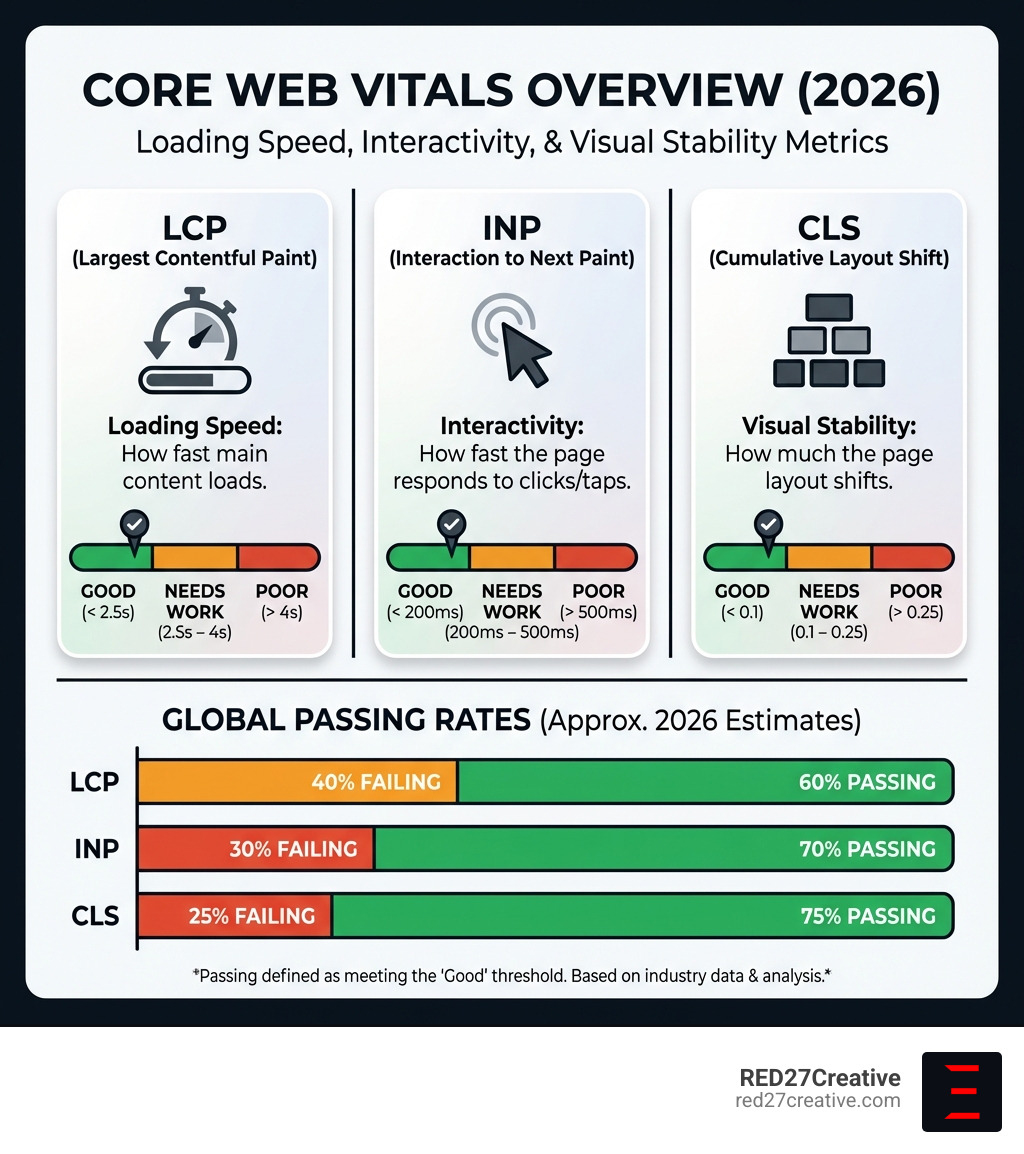
Here’s a quick snapshot of what “good” looks like for each metric:
| Metric | What It Measures | Good | Needs Work | Poor |
|---|---|---|---|---|
| LCP | How fast main content loads | Under 2.5s | 2.5s – 4s | Over 4s |
| INP | How fast the page responds to clicks/taps | Under 200ms | 200ms – 500ms | Over 500ms |
| CLS | How much the page layout shifts | Under 0.1 | 0.1 – 0.25 | Over 0.25 |
The stakes are real. Over 50% of users abandon a page that takes more than 3 seconds to load. A 0.1-second improvement in site speed can increase conversion rates by up to 8%. And yet, 40% of sites still fail Google’s recommended LCP threshold.
For marketing directors and business owners driving revenue through their websites, these aren’t just technical details — they are direct levers on lead flow and ROI.
Poor Core Web Vitals scores mean slower pages, frustrated visitors, higher bounce rates, and lower search rankings. All at the same time.
The good news? Most of the highest-impact fixes are more straightforward than you’d expect — once you know where to look.
I’m Kiel Tredrea, founder of RED27Creative, and over the past 20+ years I’ve helped hundreds of businesses improve their digital performance, including guiding teams through Core web vitals optimization as part of broader SEO and web strategy engagements. In the sections below, I’ll walk you through exactly what moves the needle — without breaking your site in the process.
Understanding the Three Pillars of Core Web Vitals Optimization
To master Core web vitals optimization, we have to look at the three specific areas Google uses to judge “page experience.” These aren’t just random numbers; they represent the actual feelings a user has when they land on your site. Is it loading? Can I click this yet? Why did that button move right as I tried to press it?
The first pillar is Largest Contentful Paint (LCP). This measures perceived load speed. It marks the point in the page load timeline when the page’s main content has likely loaded. A fast LCP helps reassure the user that the page is useful. If your hero image or main headline takes 5 seconds to show up, users feel like your site is broken.
The second pillar is Interaction to Next Paint (INP). This is the newest stable metric, replacing First Input Delay (FID) in March 2024. While FID only looked at the very first interaction, INP looks at the latency of all interactions—clicks, taps, and keyboard presses—throughout the entire visit. It tells us how responsive your site feels. If a user clicks a “Buy Now” button and nothing happens for half a second, that’s a poor INP.
The third pillar is Cumulative Layout Shift (CLS). This measures visual stability. Have you ever been reading an article and suddenly the text jumps down because an ad finally loaded at the top? That’s a layout shift. CLS is a unitless score that quantifies how often users experience unexpected movement.
We recommend reviewing the research on Defining the Core Web Vitals metrics thresholds to understand the science behind these numbers. At RED27Creative, we integrate these metrics into our SEO Services because we know that a fast site is a foundation for growth.
Measuring Performance: Lab Data vs. Real-User Field Data
Before we start fixing things, we need to know where we stand. There are two types of data you’ll encounter: Lab Data and Field Data. Understanding the difference is critical for effective Core web vitals optimization.
Lab data is gathered in a controlled environment with a predefined device and network settings. Tools like Lighthouse provide this. It’s great for debugging during development because it’s reproducible. However, it doesn’t always represent what a real person in Geneva or Chicago experiences on a 4G connection.
Field data (also known as Real User Monitoring or RUM) is what actually matters for your Google rankings. This data comes from the Chrome User Experience Report (CrUX), which collects anonymized performance data from real users. Google uses the 75th percentile of this data to determine if your page passes or fails.
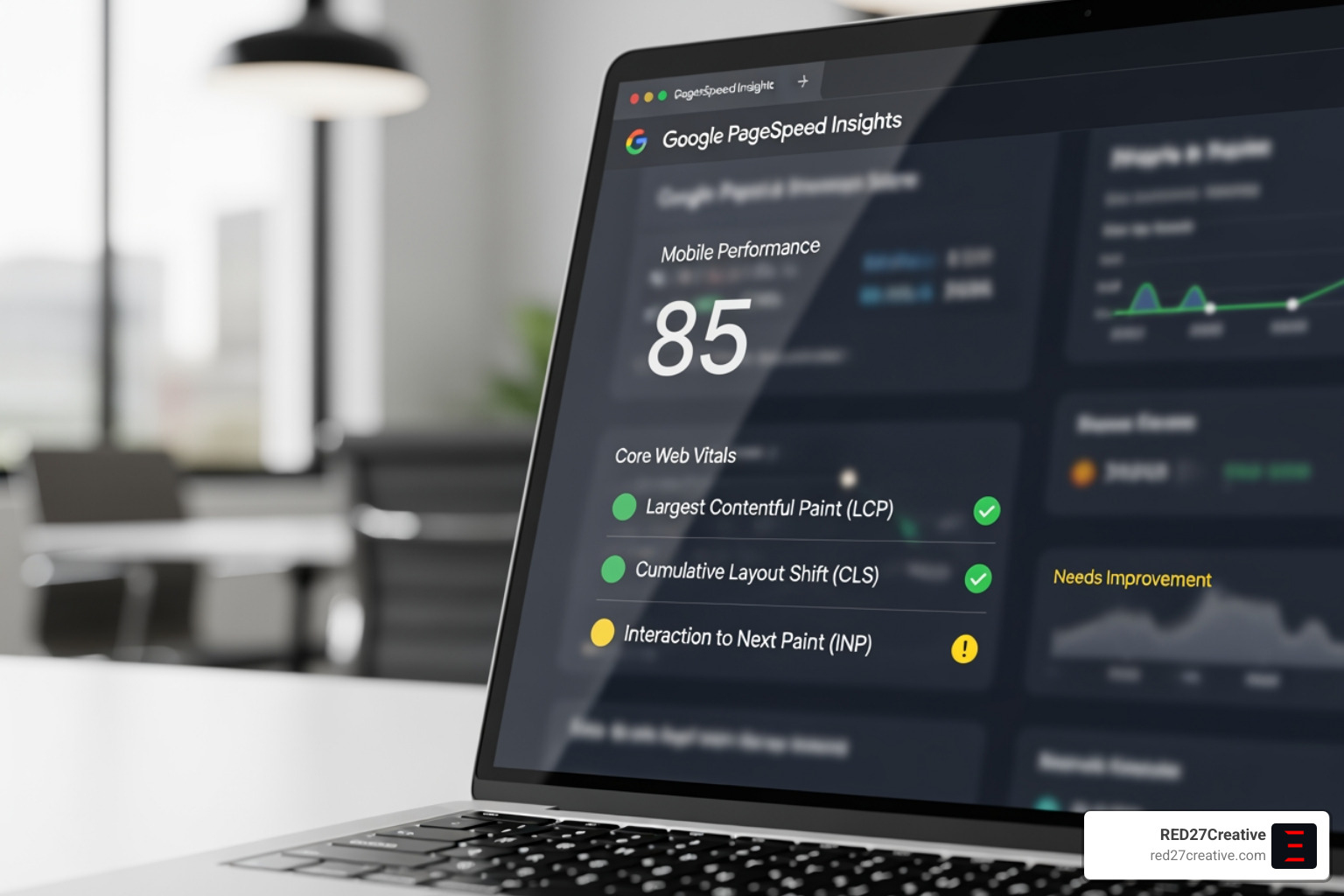
You can find this data in your Google Search Console under the Core Web Vitals report. If you see “No data available,” it usually means your site doesn’t have enough traffic for Google to form a statistically significant sample. In those cases, we rely on lab tools like PageSpeed Insights to guide our improvements.
For a deeper dive into how we analyze these technical hurdles for local businesses, check out our Chicago Technical SEO Consultant Guide. Following best practices for measuring Web Vitals in the field ensures we aren’t just chasing high scores in a lab, but actually helping your real-world customers.
Implementing Core Web Vitals Optimization for LCP and INP
When we tackle Core web vitals optimization, LCP is often the biggest hurdle. According to the Chrome UX Report, 40% of sites fail to meet the “Good” LCP threshold. Most of these issues stem from how resources are prioritized.
One of the most common bottlenecks is Time to First Byte (TTFB). If your server takes a full second just to respond to a request, your LCP is already halfway to a “Poor” rating before a single pixel is drawn. We often use CDNs (Content Delivery Networks) to cache HTML and assets closer to the user, which can significantly drop TTFB.
Another major culprit is render-blocking resources. These are CSS and JavaScript files that stop the browser from showing anything until they are fully downloaded and processed. By inlining critical CSS and deferring non-essential JavaScript, we can clear the path for the main content to load.
Surprisingly, only 15% of eligible pages currently use the fetchpriority attribute. This is a simple HTML addition that tells the browser, “Hey, this specific image is the most important thing on the page—load it first!” These are the types of high-impact, low-effort tweaks we prioritize in our Website Design and Development Services.
Technical Strategies for LCP Discovery
Did you know that 73% of mobile pages have an image as their LCP element? This means image optimization is non-negotiable. However, just compressing the image isn’t enough if the browser doesn’t know it exists right away.
About 35% of LCP images are not discoverable in the initial HTML response. This happens when images are loaded via JavaScript or hidden in CSS files. To fix this, we ensure the LCP image is in a standard .
We also recommend using modern formats like WebP or AVIF. These formats provide high-quality visuals at a fraction of the file size of a JPEG. When we build SEO Web Design Packages, we automate this process so every image uploaded is instantly optimized for speed.
Reducing Main Thread Work for INP
If your LCP is about how the page looks, INP is about how it feels. Poor INP is almost always caused by “Long Tasks”—JavaScript execution that hogs the main thread for more than 50 milliseconds. When the main thread is busy, the browser can’t respond to user clicks.
To fix this, we use the scheduler.yield() API to break up long tasks. This allows the browser to “pause” a heavy script, handle a user’s click, and then get back to work. It’s like a chef pausing to take an order before finishing a complex dish.
We also look at moving heavy calculations to Web Workers, which run on a separate thread entirely. By reducing the amount of JavaScript the browser has to parse and compile on the main thread, we ensure the site remains snappy and responsive. This Data-Driven Web Design approach is what separates a pretty website from a high-performance business tool.
Advanced Core Web Vitals Optimization for Visual Stability
Visual stability is the final piece of the puzzle. CLS is often the easiest metric to “pass,” yet a quarter of websites still fail it. Most layout shifts are completely preventable with better coding habits.
The most frequent cause? Unsized images. Data shows that 66% of pages have at least one image without explicit width and height attributes. When the browser doesn’t know how big an image is, it assumes it has 0px height until it downloads. Once it downloads, the image “pops” in, pushing all the content below it down.
By simply adding width and height attributes—or using the CSS aspect-ratio property—we tell the browser to reserve that space ahead of time. This is a core part of Responsive Website Development that ensures your site looks great on everything from an iPhone in Naperville to a desktop in Batavia.
Preventing Layout Shifts from Dynamic Content
Dynamic content—like ads, cookie banners, and “related post” widgets—is a CLS nightmare. If you insert an ad at the top of the page after the user has already started reading, you’re guaranteed a poor CLS score.
To prevent this, we use placeholders or “skeletons.” We pre-allocate the space where the ad will go so that when it finally loads, nothing moves. We also pay close attention to web fonts. If your custom font loads slowly, the browser might show a “fallback” font first. If the fallback font has different spacing than your custom font, the text will shift when the switch happens. Using font-display: swap and matching fallback font metrics can eliminate this “flash of unstyled text.”
Finally, we avoid animations and transitions that use layout-inducing CSS properties. Properties like top, left, or margin require the browser to re-calculate the entire layout. Instead, we use transform: translate(), which is handled by the GPU and doesn’t cause shifts. This level of detail is standard in our Website Design Services.
Frequently Asked Questions about Core Web Vitals
How does Interaction to Next Paint (INP) differ from First Input Delay (FID)?
Interaction to Next Paint (INP) replaced First Input Delay (FID) as a stable metric in March 2024. While FID only measured the delay of the very first user interaction, INP assesses the page’s overall responsiveness by measuring all clicks, taps, and keyboard interactions throughout the entire visit. This makes it a much more accurate representation of the actual user experience.
How does Google use Core Web Vitals data for search rankings?
Google incorporates Core Web Vitals into its “page experience” signals. While high-quality, relevant content remains the most important ranking factor, meeting the “Good” thresholds for LCP, INP, and CLS can provide a ranking boost and serve as a tie-breaker against competitors with similar content quality. It’s essentially Google’s way of rewarding sites that don’t frustrate users.
What are the most common causes of poor LCP performance?
Poor Largest Contentful Paint is typically caused by slow server response times (TTFB), render-blocking JavaScript and CSS, and slow resource load times. Specifically, 35% of LCP images are not discoverable in the initial HTML, leading to significant delays while the browser waits for scripts to execute or CSS to be parsed before it even starts the download.
How do I measure Core Web Vitals on my website?
You can measure these metrics using free Google tools. For real-user data, check the Core Web Vitals report in Google Search Console. For a quick “lab” test of a specific page, use PageSpeed Insights. If you are a developer, the Performance panel in Chrome DevTools provides the most granular data for debugging specific shifts or slow interactions.
Can a CDN really help with Core Web Vitals?
Absolutely. A CDN helps with the LCP metric by reducing the physical distance between your server and your visitor. For a business in Oswego or St. Charles, serving assets from a local edge server rather than a single data center in another state can shave hundreds of milliseconds off your TTFB and resource load times.
Conclusion
Core web vitals optimization isn’t just a “nice-to-have” technical project; it’s a fundamental part of modern business growth. In an era where users expect instant gratification, a slow or unstable website is a massive liability. By focusing on LCP, INP, and CLS, you aren’t just pleasing an algorithm—you are building trust with your customers.
At RED27Creative, we’ve spent over 20 years helping businesses in Geneva, Batavia, and across the Chicago area turn their websites into high-performance lead-generation engines. Led by our founder, Kiel Tredrea, our team combines technical SEO expertise with data-driven design to ensure your site doesn’t just look good—it performs.
Whether you need a full technical audit or a complete Website Conversion Rate Optimization overhaul, we are here to help you navigate the complexities of the modern web. Don’t let poor performance scores hold your business back. Let’s build a faster, more stable foundation for your digital growth.

Kiel Tredrea
https://red27creative.comTop Marketing Agency • Web, SEO & Leads • RED27Creative